Dell Latitude 5420 — The Upgrade Path from 13-Inch Compact to Full Productivity Surface
The Dell Latitude 5420 occupies a deliberate position in the Latitude portfolio: one step up from the 13-inch compact tier in screen size, while retaining the lightweight chassis and mobile credentials that make the 5320 series compelling. For professionals who have found 13-inch displays limiting for sustained document work or multi-window productivity — but are unwilling to carry a 15-inch device — the Latitude 5420 represents a considered middle ground. Configured with an Intel Core i5 processor, 8GB of RAM, and 256GB of storage, the 5420 addresses standard professional workloads within a 14-inch form factor that travels comfortably and performs consistently.
The 14-Inch Case: More Screen, Same Portability Tier
The shift from 13 to 14 inches is modest in physical terms — approximately 1cm of additional diagonal measurement — but the practical impact on working comfort is more significant. A 14-inch Full HD panel provides roughly 16% more display area than a 13.3-inch equivalent at the same resolution. Consequently, side-by-side document layouts, extended spreadsheet views, and video conference interfaces with shared content all become more comfortable on the Latitude 5420 without the bulk penalty of a 15-inch device.
At approximately 1.54kg, the Latitude 5420 sits within the same weight category as many 13-inch business laptops from competing manufacturers. Furthermore, the 14-inch form factor retains compatibility with standard laptop bags and carry-on luggage configurations that suit frequent business travel.
Processor and Performance
The Dell Latitude 5420 is powered by an Intel Core i5 processor from the 11th Generation Intel Core platform. This is a meaningful generational step beyond the 10th Generation Comet Lake processors used in the Latitude 5410 and 5510 — the Tiger Lake platform brings improved instructions-per-clock efficiency, a stronger integrated GPU in Intel Iris Xe Graphics, and Thunderbolt 4 support as a platform standard rather than an optional addition.
The Core i5 delivers quad-core processing with Hyper-Threading support, providing eight logical threads for parallel task execution. As a result, the Latitude 5420 handles standard business workloads — document editing, spreadsheet processing, video conferencing, browser-based tools, and communication applications — consistently under concurrent use. Intel vPro support is available on select i5 configurations, enabling hardware-level remote management for enterprise IT administrators.
Memory and the 8GB Context
The Latitude 5420 ships with 8GB of DDR4 RAM in this configuration. For the majority of standard business workflows — productivity suites, communication platforms, moderate browser use, and background system processes — 8GB operates within expected performance parameters. The 11th Generation Tiger Lake platform’s improved memory bandwidth compared to 10th Generation equivalents additionally contributes to more efficient memory utilisation at the same capacity.
It is worth noting that the Latitude 5420 platform supports memory expansion up to 32GB via its dual SO-DIMM slots. For organisations deploying at scale, the 8GB base configuration keeps acquisition costs controlled while preserving the upgrade path for roles where workload demands grow over the device lifecycle. Consequently, the Latitude 5420 at 8GB is as practical a starting point for a managed fleet as it is a capable daily driver for standard professional use.
Storage
The Latitude 5420 includes a 256GB NVMe SSD. This capacity accommodates the operating system, a full business application suite, and standard working file libraries for day-to-day professional use. For roles where primary data storage resides on network infrastructure, SharePoint, or cloud platforms, 256GB provides adequate local capacity for OS, applications, and offline working files.
The NVMe interface delivers the fast read and write speeds that distinguish SSD-based configurations from HDD equivalents — supporting quick boot sequences, responsive application launching, and efficient file access throughout the working day. Storage upgrades are available where IT policy permits for roles with larger local data requirements.
Display
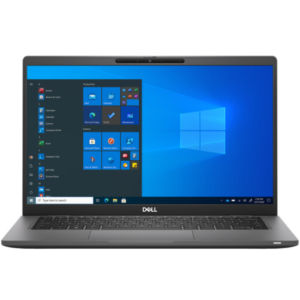
The 14-inch Full HD (1920 × 1080) display is the configuration element that most directly differentiates the Latitude 5420 from its 13-inch counterparts. The anti-glare coating manages reflections under standard office and meeting room lighting. Optional touch-enabled panel configurations extend the display’s interaction capability for annotation and touch-based application use.
For professionals who regularly connect to external displays via docking stations, the Latitude 5420’s Thunderbolt 4 port supports dual 4K display output from a single cable — enabling a dual-monitor desk setup while retaining the 14-inch laptop for use away from the desk.
Build and Durability
The Latitude 5420 is constructed with a carbon fibre and magnesium alloy chassis, maintaining structural rigidity while keeping weight competitive for the 14-inch category. The device meets MIL-STD-810H certification, covering resistance to shock, vibration, humidity, temperature variation, altitude, and dust. Therefore, the Latitude 5420 is reliable across client sites, co-working environments, and transit conditions beyond standard office settings.
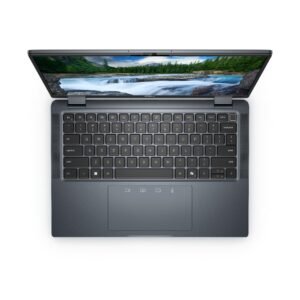
The keyboard is available in a backlit configuration, supporting productivity in low-light environments. Key travel and spacing accommodate extended typing workloads during full working days.
Connectivity and Ports
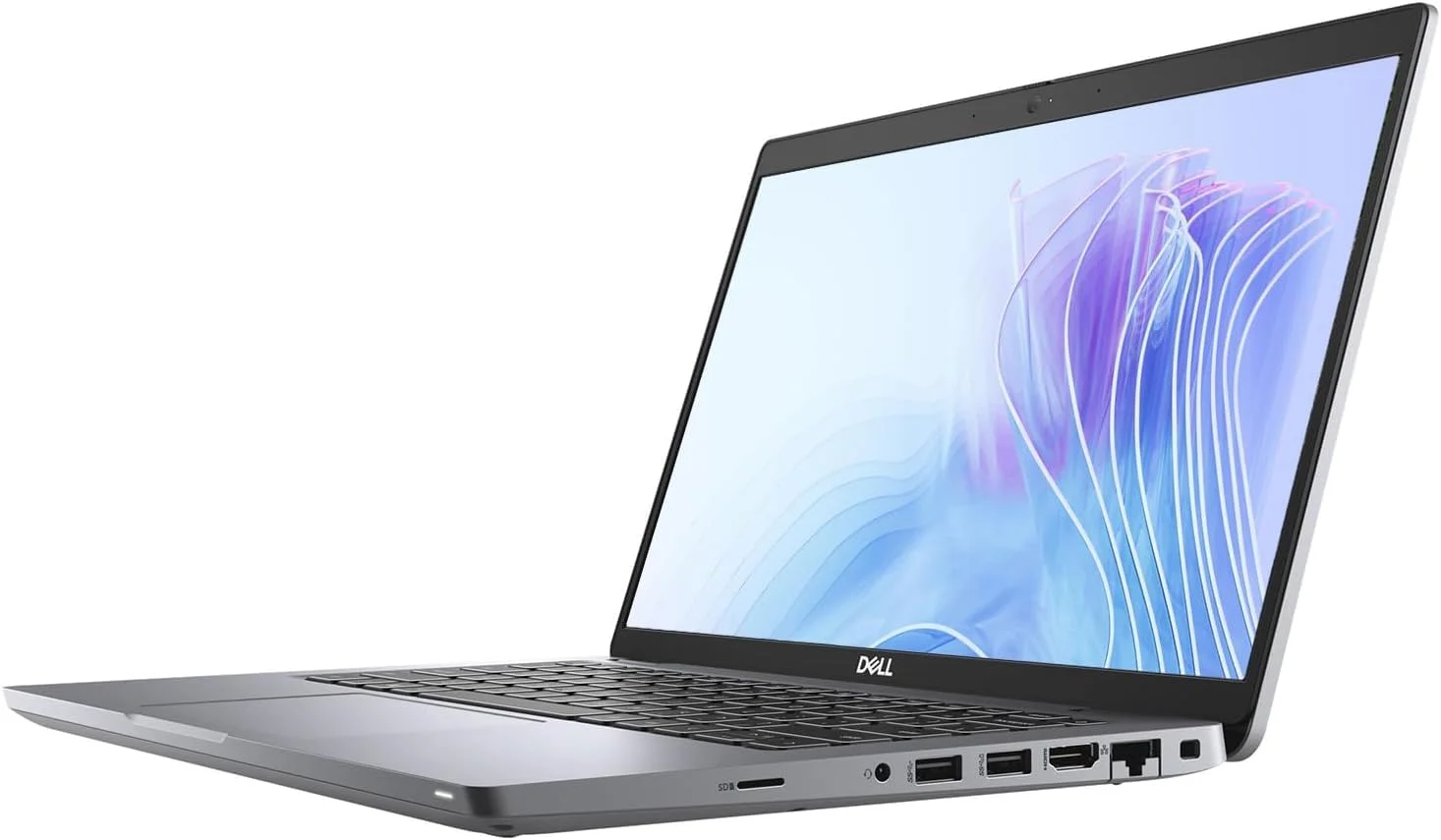
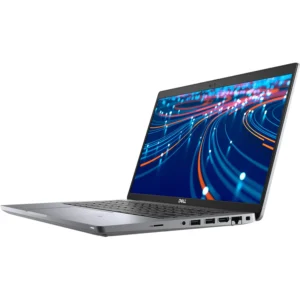
The Dell Latitude 5420 provides a port selection that reflects the 11th Generation Tiger Lake platform’s connectivity capabilities:
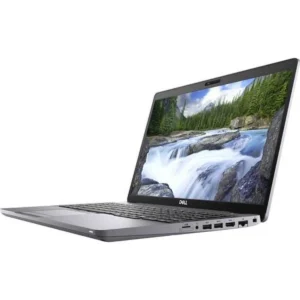
- Thunderbolt 4 / USB-C — supports high-speed data transfer, dual 4K display output, USB Power Delivery charging, and single-cable docking station connectivity; a platform-standard upgrade over Thunderbolt 3 in predecessor models
- USB-C (3.2 Gen 2) — additional USB-C port for data transfer and charging
- 2× USB-A (3.1 Gen 1) — connects legacy peripherals, storage devices, and input accessories
- HDMI 2.0 — enables direct connection to external monitors and projectors
- RJ-45 Ethernet — wired LAN for stable, policy-compliant network access in corporate environments
- SD card reader — supports media transfer and peripheral device compatibility
- 3.5mm audio combo jack — connects headsets for voice communication
- Optional Smart Card reader — supports hardware identity verification in regulated environments
- Wedge lock slot — physical anchor for shared desk and open-plan deployments
Wireless connectivity includes Wi-Fi 6 (802.11ax) and Bluetooth 5.1. Additionally, optional WWAN (4G LTE) support maintains connectivity in field and travel environments without reliable Wi-Fi infrastructure.
Security Features
The Latitude 5420 integrates Dell’s enterprise security stack across hardware and firmware layers:
- TPM 2.0 — hardware-encrypted key storage for full-disk encryption and secure boot
- IR camera with Windows Hello — facial recognition login for passwordless authentication
- Optional fingerprint reader — biometric access for rapid secure login
- Dell SafeBIOS — firmware integrity monitoring with tamper detection and response
- Dell SafeScreen (optional) — integrated privacy filter limiting side-angle display visibility
- Wedge lock slot — physical restraint for shared desk and open-plan environments
- Optional Smart Card reader — supports identity and access management in regulated sectors
Battery and Power
The Latitude 5420 is fitted with a 63Wh battery, delivering approximately 8–13 hours of estimated runtime under mixed-use conditions. Dell ExpressCharge technology recovers approximately 80% battery capacity within one hour. Furthermore, Thunderbolt 4 charging enables compatibility with universal USB-C chargers and docking stations, reducing proprietary adapter dependency during travel.
Ideal Users
The Dell Latitude 5420 is most directly relevant for professionals who are making a considered choice between screen size tiers:
- Professionals transitioning from 13-inch to 14-inch — Users who have found 13-inch displays limiting for document-heavy work or multi-window productivity will find the Latitude 5420’s additional screen area materially improves working comfort without a significant weight or portability penalty. The ~1.54kg weight keeps the 5420 within the same carry tier as many 13-inch alternatives.
- Account managers and client-facing professionals — The 14-inch display provides a more comfortable shared viewing surface for client presentations and document review than 13-inch equivalents. Thunderbolt 4 docking supports rapid single-cable desk setup between client visits. Optional LTE removes dependence on client-site Wi-Fi access.
- Corporate IT-managed fleet deployments — The 11th Generation Tiger Lake platform’s Thunderbolt 4 standard, Intel Iris Xe Graphics, and vPro availability make the Latitude 5420 a more future-ready fleet investment than 10th Generation equivalents at comparable acquisition cost. The memory upgrade path to 32GB supports post-deployment lifecycle management.
- Remote and hybrid workers — Wi-Fi 6, long battery life, and Dell ExpressCharge support all-day use across home offices and co-working environments. The 14-inch display reduces dependence on an external monitor for home office setups where desk space is limited.
- Finance and operations professionals — 8GB RAM handles standard ERP, spreadsheet, and communication tool workloads. The 256GB SSD provides fast application access and adequate local storage for standard document workflows. TPM 2.0, Dell SafeBIOS, and optional Smart Card reader address regulated-industry security requirements.
Technical Specifications
Processor
| Attribute | Detail |
|---|---|
| Processor | Intel Core i5, 11th Generation (Tiger Lake) |
| Cores / Threads | 4 cores / 8 threads |
| Graphics | Intel Iris Xe Integrated Graphics |
| vPro Support | Available on select configurations |
Memory
| Attribute | Detail |
|---|---|
| Installed RAM | 8GB |
| Memory Type | DDR4 |
| Slots | 2× SO-DIMM |
| Maximum Supported RAM | 32GB |
Storage
| Attribute | Detail |
|---|---|
| Storage Capacity | 256GB |
| Storage Type | SSD (NVMe M.2) |
| Form Factor | M.2 2280 |
Display
| Attribute | Detail |
|---|---|
| Screen Size | 14 inches |
| Resolution | 1920 × 1080 (Full HD) |
| Aspect Ratio | 16:9 |
| Touch | Optional (configuration-dependent) |
| Panel Coating | Anti-glare |
Ports and Connectivity
| Attribute | Detail |
|---|---|
| Thunderbolt 4 / USB-C | 1× Thunderbolt 4 (data, display, charging) |
| USB-C | 1× USB-C 3.2 Gen 2 |
| USB-A | 2× USB-A 3.1 Gen 1 |
| HDMI | 1× HDMI 2.0 |
| Ethernet | RJ-45 Gigabit LAN |
| SD Card Reader | Yes |
| Audio | 3.5mm combo jack |
| Smart Card Reader | Optional |
| Wi-Fi | Wi-Fi 6 (802.11ax) |
| Bluetooth | 5.1 |
| WWAN | Optional 4G LTE |
| Security Lock | Wedge lock slot |
Security
| Attribute | Detail |
|---|---|
| TPM | TPM 2.0 |
| IR Camera | Yes (Windows Hello facial recognition) |
| Fingerprint Reader | Optional |
| BIOS Security | Dell SafeBIOS |
| Privacy Filter | Dell SafeScreen (optional) |
| Smart Card Reader | Optional |
| Physical Lock | Wedge lock slot |
Power and Battery
| Attribute | Detail |
|---|---|
| Battery Capacity | 63Wh |
| Estimated Battery Life | Up to ~8–13 hours (mixed use) |
| Fast Charging | Yes — Dell ExpressCharge (~80% in 1 hour) |
| Charging Interface | USB-C or barrel connector |
Build and Compliance
| Attribute | Detail |
|---|---|
| Chassis Material | Carbon fibre and magnesium alloy |
| Durability Standard | MIL-STD-810H |
| Keyboard | Backlit (optional) |
| Operating System | Windows 10 Pro / Windows 11 Pro |
| Form Factor | Clamshell laptop |
| Weight | Approximately 1.54 kg (3.40 lbs) |

 No products in the cart.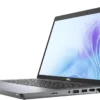
Reviews
There are no reviews yet.