
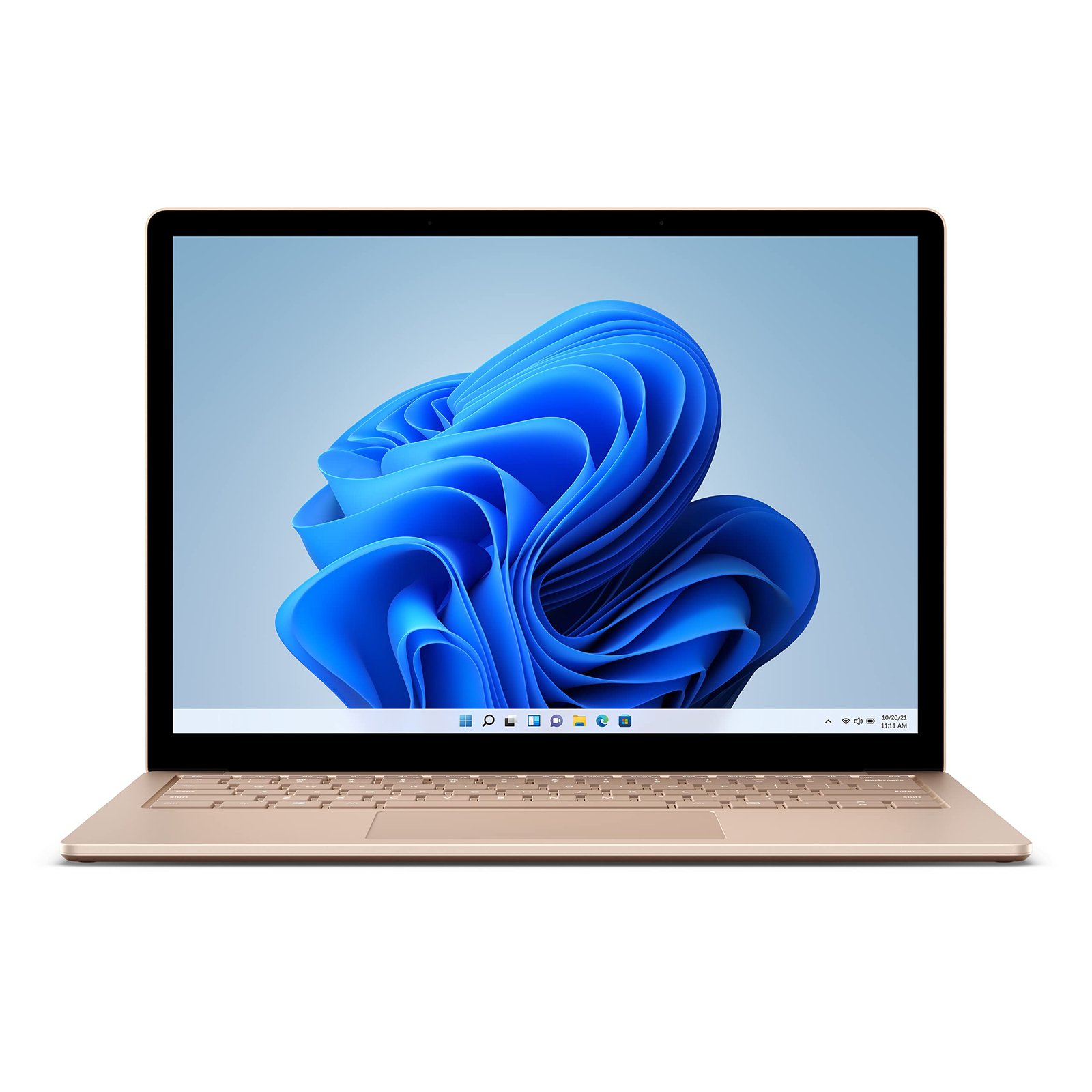
Microsoft Surface Pro 4 1951
The Microsoft Surface Pro 4 1951 is a 13-inch 2-in-1 detachable tablet-laptop hybrid built around the Surface Pro form factor — a device class that separates it fundamentally from conventional clamshell laptops. Powered by an Intel Core i7 processor, supported by 16GB of RAM and 256GB of storage, the Surface Pro 4 1951 delivers strong productivity performance within an exceptionally thin and lightweight chassis. The kickstand-and-detachable-keyboard design of the Surface Pro 4 1951 provides flexibility across desk, lap, and tablet configurations, making it a versatile device for professionals who move frequently between working contexts throughout the day.
Processor and Performance
The Microsoft Surface Pro 4 1951 is powered by an Intel Core i7 processor. This CPU tier delivers strong multi-core and single-core performance across sustained professional workloads — including data analysis, document processing, presentation design, video conferencing, and concurrent cloud application use. Intel Turbo Boost dynamically scales clock speed in response to peak workload demand, ensuring the Surface Pro 4 1951 handles intensive short-burst tasks such as rendering complex presentations, processing large spreadsheets, and executing calculations with consistent responsiveness.
The Surface Pro 4 1951 manages Core i7 thermal output within its thin chassis through an internal fan cooling system — allowing sustained processor performance during extended working sessions without thermal throttling under standard business workloads.
Memory
The Surface Pro 4 1951 is equipped with 16GB of RAM. This memory capacity supports the simultaneous execution of productivity suites, communication platforms, browser sessions, and cloud-based tools without performance degradation. Furthermore, 16GB provides sufficient headroom for professionals running lightweight virtualisation environments or operating multiple resource-intensive applications concurrently.
For users relying on Microsoft 365, Teams, SharePoint, Edge, and Outlook running simultaneously — a workflow typical of corporate knowledge workers — the 16GB configuration in the Surface Pro 4 1951 maintains consistent system responsiveness throughout full working days, including during video calls where background applications remain active.
Storage
The Microsoft Surface Pro 4 1951 ships with 256GB of storage. This capacity suits professionals operating within cloud-first environments, where document libraries, project archives, and collaborative files are maintained on OneDrive, SharePoint, or Microsoft 365. The 256GB local drive in the Surface Pro 4 1951 accommodates the operating system, installed applications, and an active working file set without requiring frequent local storage management.
OneDrive integration within Windows provides automatic file synchronisation on the Surface Pro 4 1951, ensuring cloud-managed files remain accessible offline when network connectivity is unavailable — a practical capability for professionals working across varied locations throughout the day.
Display and Touch Input
The Microsoft Surface Pro 4 1951 features a 13-inch PixelSense display with a 3:2 aspect ratio. The 3:2 format delivers greater vertical screen space compared to standard 16:9 panels at the same diagonal measurement — directly reducing scrolling frequency during document editing, spreadsheet navigation, web browsing, and email review. This aspect ratio is a consistent Surface family design choice that distinguishes the Surface Pro 4 1951 from conventional 16:9 business laptops.
The PixelSense display supports touch input natively, enabling direct content interaction, on-screen annotation, and application navigation without peripheral devices. Additionally, the Surface Pro 4 1951 is compatible with the Microsoft Surface Pen — providing precise stylus input for handwritten notes, sketching, document markup, and digital signing workflows. The combination of touch and pen input makes the display an active working surface across all usage configurations.
Detachable Form Factor and Kickstand
The defining design characteristic of the Microsoft Surface Pro 4 1951 is its detachable form factor, supported by an integrated multi-angle kickstand. Unlike 360-degree hinge convertibles, the Surface Pro 4 1951 achieves its versatility through a different mechanical approach:
- Laptop configuration — Surface Pro 4 1951 with Type Cover keyboard attached, kickstand extended, providing a conventional laptop working posture on desk surfaces
- Studio mode — kickstand extended to a low angle, Type Cover folded flat, supporting pen and touch interaction in a near-horizontal orientation suited to drawing and annotation
- Tablet mode — Type Cover detached or folded away, Surface Pro 4 1951 used as a standalone touch and pen device for handheld content delivery, note-taking, and field use
- Presentation mode — kickstand extended, Type Cover detached, display facing audience for shared content viewing
The multi-angle kickstand of the Surface Pro 4 1951 enables precise display angle adjustment — a practical advantage for reducing glare and optimising viewing ergonomics across varied working environments.
Who This Device Suits
The Microsoft Surface Pro 4 1951 is most aligned with the following professional profiles:
- Corporate knowledge workers in Microsoft-ecosystem organisations — The Surface Pro 4 1951’s native integration with Microsoft 365, Teams, OneDrive, and SharePoint makes it a natural fit for organisations standardised on the Microsoft stack. The Core i7 and 16GB RAM handle concurrent knowledge worker application loads without performance constraints. The 3:2 PixelSense display improves document and spreadsheet usability compared to 16:9 alternatives.
- Professionals requiring pen and annotation workflows — Surface Pen compatibility on the Surface Pro 4 1951 supports handwritten note-taking, document markup, digital signing, and sketch-based communication. This capability is particularly relevant for roles that involve frequent annotation of reports, contracts, or design assets — tasks where pen input on a high-resolution display is more precise than touch alone.
- Field and mobile professionals — The detachable form factor makes the Surface Pro 4 1951 lighter and thinner than equivalent clamshell laptops with comparable specifications. Tablet mode enables handheld use during site visits, client meetings, and field data collection. The 16GB RAM ensures full application capability is maintained across all configurations.
- Executives and senior managers — The PixelSense display quality and premium aluminium chassis reflect the device standard appropriate for senior professional roles. The Surface Pro 4 1951’s compact footprint suits executives who require a lightweight daily-carry device without compromising on display quality or processing performance.
- Creative and design professionals in corporate environments — PixelSense colour accuracy and Surface Pen compatibility make the Surface Pro 4 1951 well suited to presentation design, visual content review, and brand asset annotation. Studio mode provides a near-horizontal working surface that supports pen-based design workflows directly on-screen.
Technical Specifications
Processor
| Attribute | Detail |
|---|---|
| Processor Brand | Intel |
| Processor Family | Intel Core i7 |
| Turbo Boost | Supported |
Memory
| Attribute | Detail |
|---|---|
| Installed RAM | 16GB |
| Memory Type | LPDDR3 |
Storage
| Attribute | Detail |
|---|---|
| Storage Capacity | 256GB |
| Storage Type | NVMe SSD |
Display
| Attribute | Detail |
|---|---|
| Screen Size | 13 inches |
| Display Type | PixelSense |
| Aspect Ratio | 3:2 |
| Touch Support | Yes — integrated touchscreen |
| Pen Support | Yes — Microsoft Surface Pen compatible |
| Form Factor | Detachable 2-in-1 |
Graphics
| Attribute | Detail |
|---|---|
| Graphics | Intel Iris Pro (integrated) |
Input
| Attribute | Detail |
|---|---|
| Keyboard | Surface Type Cover (sold separately) |
| Pointing Device | Touchpad (via Type Cover) |
| Stylus | Microsoft Surface Pen (sold separately) |
| Biometrics | Windows Hello — front-facing camera |
Design and Form Factor
| Attribute | Detail |
|---|---|
| Chassis | Magnesium alloy |
| Kickstand | Multi-angle integrated kickstand |
| Usage Modes | Laptop, Studio, Tablet, Presentation |
Connectivity
| Attribute | Detail |
|---|---|
| Wireless | Wi-Fi 5 (802.11ac) |
| Bluetooth | Bluetooth 4.1 |
| Ports | USB-A 3.0, Mini DisplayPort, Surface Connect, microSD card reader, 3.5mm audio |
Power
| Attribute | Detail |
|---|---|
| Charging | Surface Connect port |
| Battery | Up to 9 hours (rated) |
General
| Attribute | Detail |
|---|---|
| Brand | Microsoft |
| Product Line | Surface Pro |
| Model | Surface Pro 4 — Model 1951 |
| Target Segment | Business / Enterprise / Consumer |
| Operating System | Windows 10 Pro / Windows 11 Pro (OEM configuration) |
Reviews
There are no reviews yet.