


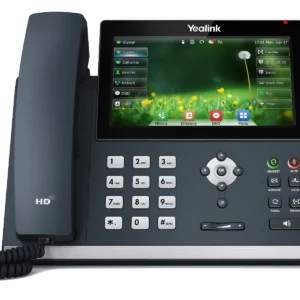
Yealink SIP-T43U — Mid-Range Business SIP Phone Built for the Modern Collaborative Professional
What Is the Yealink SIP-T43U?
The Yealink SIP-T43U is a feature-rich, mid-range SIP desktop IP phone that occupies the precise sweet spot in Yealink’s professional phone lineup where capability depth, connectivity versatility, and deployment practicality converge into a single compelling package. Engineered for the professional whose daily workflow demands more than one line, more than basic call handling, and more than entry-level audio, the SIP-T43U delivers a communication experience that matches the complexity and pace of the modern business environment without the cost or complexity of a premium executive phone.
At its core, the T43U is defined by two distinguishing architectural decisions that set it apart from every phone in its class: dual USB 2.0 ports that transform the phone into an expandable connectivity hub capable of hosting Bluetooth adapters, Wi-Fi dongles, USB headsets, and recording devices simultaneously — and Gigabit dual Ethernet ports that ensure the phone never becomes a network performance bottleneck for the computer it serves. These two capabilities alone redefine what a mid-range business phone can be in the connected workspace of 2026.
Whether you are equipping managers, team leaders, sales professionals, finance staff, legal teams, executive assistants, or any knowledge worker whose voice communications are complex enough to demand multi-line visibility, one-touch colleague monitoring, and the flexibility to connect professional headsets wirelessly — the T43U is the phone that was engineered precisely for that user’s needs, at a price point that makes deploying it broadly across the relevant workforce tier a financially sound decision.
Why the T43U Represents the Inflection Point in Professional IP Phone Value
The Moment When More Features Stop Being Additions and Start Being Necessities
There is a specific category of business professional for whom an entry-level single-line IP phone creates daily friction that accumulates into genuine productivity loss — the professional who manages inbound calls on one line while monitoring a shared team line on another, who needs to transfer between colleagues whose availability they can see at a glance, who uses a professional wireless headset that requires more than a basic RJ9 connection, and whose computer — connected through the phone’s Ethernet passthrough — cannot afford to be throttled by a 100Mbps network link when Gigabit infrastructure is available at the wall.
For this professional — and every organization has them, across multiple roles and departments — an entry-level phone is not a cost saving. It is a daily productivity tax paid in friction, workarounds, and the quiet inefficiency of a tool that doesn’t quite match the demands of the job it is supposed to support.
The Yealink SIP-T43U is the answer to that daily tax. It delivers precisely the expanded capability that moves the mid-range professional user from friction to flow — three SIP accounts, twelve line keys, dual USB ports, Gigabit connectivity, and a feature set deep enough to support the complex call management workflows that define the working day of your organization’s most communication-intensive professional roles.
Yealink SIP-T43U Key Features & Technical Specifications
A Complete Mid-Range Professional Communication Platform in a Single Elegant Device
- 🖥️ 3.7-Inch Graphical LCD Display — 360×160 pixel resolution display delivering crisp, clear presentation of call information, BLF status, phonebook entries, and menu navigation — large enough for comfortable reading without compromising the phone’s desktop footprint
- 📞 3 SIP Account Registrations — Simultaneous registration of three independent SIP accounts enabling multi-line professionals, team leaders managing shared numbers, and users with concurrent personal, department, and company-wide line responsibilities to manage all identities from a single device
- 🔢 12 Line Keys with Dual-Color LED — Twelve fully programmable line keys with red/green LED status indicators providing immediate visual awareness of line states — active, available, ringing, held, and BLF-monitored colleague presence — across the entire key array without display navigation
- 🔌 Dual USB 2.0 Ports — Two independent USB 2.0 ports enabling simultaneous connection of multiple USB peripherals — the defining hardware feature of the T43U that enables Bluetooth adapter, Wi-Fi dongle, USB headset, and USB recording device deployment without compromise or trade-off between connected devices
- ⚡ Dual Gigabit Ethernet Ports — Two 10/100/1000 Mbps Ethernet ports providing true Gigabit network passthrough for connected computers — ensuring that Gigabit desktop infrastructure is never throttled by the phone’s network switch
- 🔋 Power over Ethernet (PoE) Support — IEEE 802.3af PoE compliance enabling single-cable installation delivering both network and power without desktop power adapters
- 🔊 Yealink HD Voice Technology — Wideband audio codec support including Opus codec delivering voice clarity that eliminates listening fatigue and improves comprehension accuracy across every call type
- 🎧 Headset Connectivity — RJ9 headset port plus USB headset support through dual USB ports enabling both wired and — with optional Bluetooth dongle — wireless professional headset operation
- 📻 Full-Duplex Speakerphone — High-quality bidirectional simultaneous audio for natural hands-free communication without the conversational interruptions of half-duplex alternatives
- 🔕 Dedicated Hardware Mute Key — One-touch hardware mute with LED confirmation for instant, reliable call muting without on-screen menu navigation during active calls
- 🌐 Wi-Fi Connectivity Support — Optional Wi-Fi operation via Yealink WF50 USB Wi-Fi dongle (sold separately) enabling cable-free phone deployment in locations where Ethernet cabling is unavailable or impractical
- 📡 Bluetooth Support — Optional Bluetooth connectivity via Yealink BT41 USB Bluetooth dongle (sold separately) enabling wireless headset pairing and mobile phone audio integration
- 📱 Opus Codec Support — Next-generation audio codec delivering superior voice quality with reduced bandwidth consumption — particularly valuable for organizations with bandwidth-constrained WAN connectivity between sites
- 📖 Local Phonebook: Up to 1,000 contacts with search functionality plus remote phonebook support via XML and LDAP directory integration for organizational contact database access
- 📋 Call Log Capacity: Up to 300 entries across missed, received, and dialed call histories — triple the log depth of entry-level Yealink models, reflecting the higher call volume reality of mid-range professional users
- 🔧 Auto-Provisioning via Yealink RPS — Zero-touch deployment capability for IT-managed fleet provisioning without on-site administrator presence at each phone location
- 🛡️ SRTP, TLS & HTTPS Security — Encrypted audio, encrypted SIP signaling, and secure management interface protecting business communications and administrative access
- 🏷️ Paper-Free Label Design — Electronic display-based line key labeling eliminates the paper label strips that clutter traditional multi-line phone bezels and require physical replacement when key assignments change
- 🌍 Multi-Language Interface — Localized display support for global and multilingual workforce deployments
- 🎨 Adjustable Stand — Two-position tilt adjustment for ergonomic display angle optimization across varied user height and desk configuration scenarios
Dual USB 2.0 Ports: The Feature That Redefines What a Desk Phone Can Be
When Your Phone Becomes a Connectivity Hub, Everything Changes
The T43U’s dual USB 2.0 ports are not a specification detail — they are an architectural statement about what a modern mid-range business phone should be capable of. In a world where professional workspace connectivity increasingly demands flexibility — wireless headsets, mobile device integration, network-independent phone operation, USB peripheral support — a phone with a single USB port forces a constant choice between capabilities that the professional user needs simultaneously.
The T43U’s two independent USB ports eliminate that choice entirely.
USB Port Deployment Scenarios That Define the T43U’s Advantage:
Configuration 1 — Bluetooth + Wi-Fi Simultaneously Deploy the Yealink BT41 Bluetooth dongle in USB Port 1 for wireless headset connectivity, and the Yealink WF50 Wi-Fi dongle in USB Port 2 for network-independent wireless phone operation. The result is a completely cable-free desk phone experience — no Ethernet cable, no headset cable — that maintains full professional SIP functionality. This configuration is transformative for hotdesking environments, open-plan offices, and co-working spaces where desk cable infrastructure is minimal or shared.
Configuration 2 — Bluetooth Headset + USB Recording Device Deploy the BT41 Bluetooth dongle in USB Port 1 for wireless headset operation, and a compatible USB call recording device in USB Port 2 for local or compliance-driven call recording. Both functions operate simultaneously without any device prioritization compromise — a configuration that would be impossible on a single-USB phone.
Configuration 3 — Wi-Fi + USB Headset Deploy the WF50 Wi-Fi dongle in USB Port 1 for wireless network connectivity, and a compatible USB headset directly in USB Port 2 for digital audio quality superior to the analog RJ9 headset connection. This configuration combines wireless network freedom with USB headset audio fidelity — a combination that single-USB alternatives cannot deliver.
Configuration 4 — Dual Peripheral Expansion In wired Ethernet deployments where Wi-Fi and Bluetooth are not required, both USB ports are available for other peripherals — USB headsets, USB presence indicators, USB storage for local firmware updates, or other compatible USB devices as the organization’s workflow demands.
The underlying principle is simple but commercially significant: two USB ports means your phone investment never forces a capability trade-off. Whatever combination of wireless, audio, and peripheral connectivity your professional users need today — or will need as technology and workflows evolve — the T43U accommodates it without hardware replacement.
Gigabit Ethernet: The Network Passthrough That Respects Your Infrastructure Investment
Because a Bottleneck at the Phone Defeats the Purpose of Gigabit Infrastructure
The organizational investment in Gigabit network infrastructure — Gigabit switches, CAT6 cabling, Gigabit network interface cards in computers — is not a trivial expenditure. It reflects a deliberate commitment to network performance that enables the bandwidth-intensive applications modern professionals depend on: large file transfers, video conferencing, cloud application access, and collaborative platform synchronization that consume network bandwidth at rates that 100Mbps infrastructure cannot efficiently sustain.
When a 100Mbps IP phone sits between a Gigabit wall port and a Gigabit-capable computer — as every non-Gigabit phone with a network passthrough port does — it creates a network performance ceiling at precisely the point in the desktop infrastructure chain where it is most frustrating: right at the computer that needs Gigabit performance.
The T43U’s dual Gigabit Ethernet ports eliminate this ceiling. The computer connected through the T43U’s passthrough port experiences the same Gigabit network performance it would with a direct wall connection — because it effectively has one, mediated by a true Gigabit switch rather than a 100Mbps bottleneck.
For organizations where video production, large dataset management, high-resolution media collaboration, or any bandwidth-intensive computer application is a routine part of the professional workflow at T43U-equipped desks, Gigabit passthrough is not a luxury specification — it is the performance baseline that protects the organization’s broader network infrastructure investment from being undercut at the last meter of the desktop cable run.
Three SIP Accounts: Managing Multiple Professional Identities From One Device
The Multi-Line Professional Reality That Single-Account Phones Cannot Serve
Modern professional telephony is rarely as simple as one person, one number, one phone. The organizational reality of business communications in 2026 involves overlapping line responsibilities, shared team numbers, multi-department roles, and the expectation that key professionals are reachable across multiple telephone identities simultaneously — without requiring multiple physical phones on their desk.
The T43U’s three simultaneous SIP account registrations directly address this reality across a range of professional roles and organizational structures:
The Team Leader or Manager Registered to their personal direct line (Account 1), their department’s main inbound number (Account 2), and a shared management team line that rings when any member of the leadership group is needed (Account 3). All three lines ring independently on the T43U, all three appear on dedicated line keys with LED status, and the user manages all three identities from a single device without ever missing a call on any line.
The Executive Assistant Registered to their own direct line (Account 1), the executive’s direct line they are covering (Account 2), and the main company reception number (Account 3). When the executive is unavailable, the assistant intercepts calls on Account 2 with full call transfer capability to any internal extension. All three lines are visible and manageable simultaneously.
The Sales Professional Registered to their personal direct dial (Account 1), a sales team shared line for inbound lead calls (Account 2), and a geographic or product-specific sales line (Account 3). Different inbound call types route to different accounts, ring with different cadences, and present different caller ID contexts — enabling the professional to answer each call with the appropriate business identity.
The Multi-Business Operator A professional managing communications for two business entities from a single workstation — their primary employer (Account 1 and Account 2 for internal and external lines) and a secondary business interest (Account 3) — maintains complete separation of business identities at the hardware level without separate physical devices.
In each scenario, three SIP accounts transform the T43U from a single-identity phone into a complete multi-line professional communications platform that eliminates the desk clutter, cost, and management complexity of multiple physical devices.
Twelve Line Keys: Visibility and Control Across Your Entire Communication Landscape
When You Can See Everything, You Can Manage Everything
The T43U’s twelve programmable line keys with dual-color LED indicators provide a physical communication control panel that transforms the user’s awareness of and control over their telephony environment. Unlike software-only interfaces where call status and colleague availability require active screen navigation, the T43U’s line key array provides at-a-glance situational awareness that requires zero interaction to maintain:
BLF (Busy Lamp Field) Monitoring Assign colleague extensions to line keys and monitor their real-time availability — available (green), busy on a call (red), ringing (flashing) — without asking, without checking a UC application, and without interrupting either party’s workflow. For receptionists routing calls, managers monitoring team availability, and assistants managing executive schedules, BLF visibility across twelve line keys is a daily workflow transformation that users who experience it never willingly give up.
Speed Dial with Status Awareness One-touch dialing of frequently called numbers combined with real-time status awareness — know whether the colleague you’re about to call is already on another call before you dial, eliminating the interruption of a call attempt to a busy extension and the associated productivity friction on both ends.
Call Park and Pickup Assign line keys to call park orbits for one-touch parking and retrieval of calls across the team — the call handling workflow of a busy reception or contact operation made visual, immediate, and error-free through dedicated key assignment.
Intercom and Paging One-touch intercom initiation to specific extensions or paging groups, enabling immediate voice communication to colleagues or broadcast announcements without navigating menus or remembering feature codes.
Shared Line Appearances In organizations with shared line configurations — where a single phone number appears and can be answered from multiple devices — the T43U’s line keys provide the shared line visibility and control interface that makes shared line operation practical and efficient.
Twelve programmable line keys mean the T43U’s control panel can be comprehensively populated for the specific workflow of each user who operates it — customized once through provisioning and consistent thereafter across every call, every transfer, and every interaction that user’s role demands.
Opus Codec: Next-Generation Audio for the Bandwidth-Constrained Modern Enterprise
When Your Network Isn’t Perfect, Your Voice Quality Shouldn’t Have to Suffer
The T43U’s support for the Opus audio codec represents a forward-looking engineering decision that positions this phone for the network realities of distributed, cloud-connected enterprise communications — not the idealized laboratory conditions where traditional codec performance benchmarks are measured.
Why Opus Matters Beyond G.722:
Traditional wideband codecs like G.722 deliver excellent voice quality on well-provisioned, low-latency local area networks. But as enterprise communications increasingly traverse wide-area networks, internet connections, cloud PBX infrastructure, and remote work connectivity scenarios — where bandwidth is constrained, latency is variable, and packet loss is an operational reality rather than an exceptional event — the limitations of codecs designed for controlled network environments become audible.
Opus is specifically engineered for real-world network conditions:
- Adaptive bitrate operation — Opus dynamically adjusts its bitrate in response to available network bandwidth, maintaining the highest possible voice quality at whatever bandwidth the current network path supports — from 6kbps to 510kbps
- Packet loss concealment — Opus’s advanced loss concealment algorithms maintain perceptible voice quality even under packet loss conditions that would cause audible degradation in traditional codecs
- Low-latency architecture — Opus achieves codec delays as low as 2.5ms, minimizing the end-to-end call latency that makes conversations feel natural rather than staccato
- Wideband and fullband audio — Opus supports audio bandwidths from narrowband through fullband (20Hz-20kHz) in a single codec, providing HD voice quality at bitrates that competing wideband codecs cannot match
For organizations connecting remote workers over broadband internet, operating cloud PBX deployments where SIP traffic traverses the public internet, or managing multi-site communications over WAN links with variable quality — Opus codec support in the T43U delivers measurably better voice quality under real-world conditions than comparable phones without Opus capability.
Optional Wireless Connectivity: Wi-Fi and Bluetooth Freedom Through USB Expansion
The Phone That Cuts the Cord — On Your Terms, On Your Timeline
The T43U’s USB-based wireless expansion architecture represents a particularly intelligent approach to optional wireless connectivity: rather than integrating Wi-Fi and Bluetooth directly into every unit — adding cost to deployments that will never use wireless capabilities — Yealink enables wireless operation through optional USB dongles that are added only to the phones that need them, keeping the base unit cost optimized while preserving complete wireless capability for those deployments where it creates genuine value.
Wi-Fi Connectivity via Yealink WF50 Dongle
Deployment scenarios that Wi-Fi unlocks:
- Hotdesking and flexible workspace environments where running Ethernet cable to every potential desk position is impractical or architecturally undesirable
- Historic or heritage buildings where cable installation is restricted by preservation requirements
- Temporary workspace deployments — project spaces, event venues, pop-up office environments — where cabling infrastructure is unavailable
- Open-plan and co-working environments where cable management across variable desk configurations is a facilities management burden
- Executive home offices where routing an Ethernet cable to the designated phone location requires construction work the building arrangement doesn’t justify
Wi-Fi-equipped T43U phones connect to the organization’s wireless network infrastructure and operate as fully functional SIP phones with all features intact — indistinguishable in capability from their wired counterparts, located wherever workspace flexibility demands they be placed.
Bluetooth Connectivity via Yealink BT41 Dongle
Professional wireless headset operation: The BT41 dongle enables the T43U to pair with Bluetooth-capable professional headsets from Plantronics (Poly), Jabra, Sennheiser, and other leading headset manufacturers — delivering the wireless freedom that high-call-volume professionals increasingly expect as standard, without the cable management complexity of tethered headset connections.
Mobile phone audio integration: Bluetooth connectivity also enables mobile phone audio pairing — allowing users to route incoming mobile calls through the T43U’s speakerphone and audio system, maintaining a single audio interface at the workstation regardless of whether the call arrives on the desk phone or the mobile device.
Paper-Free Label Design: The Administrative Upgrade That Saves Time Every Time a Key Changes
Small Feature. Significant Operational Impact. Completely Underappreciated Until You’ve Experienced the Alternative.
Traditional multi-line IP phones with programmable line keys use paper label strips — small printed or hand-written labels inserted into the phone’s bezel beneath each key to identify what that key does. This system has been the standard for decades. It is also consistently frustrating in practice:
- Labels must be physically removed and replaced every time a key assignment changes
- Paper labels become illegible through handling, coffee spills, and accumulated desk debris
- Label strips are easily lost, requiring reordering of proprietary replacement strips from the manufacturer
- In large deployments, maintaining consistent, legible labeling across the fleet requires ongoing facilities coordination
- Remote provisioning of key assignment changes must be followed by physical visits to update paper labels — or users operate with incorrect labels that don’t match current configuration
The T43U’s paper-free label design uses the phone’s LCD display architecture to present key identification information electronically — labels that update automatically when key assignments change through the provisioning system, that are always legible regardless of environmental conditions, and that require zero physical intervention when the underlying configuration is modified.
For IT administrators managing large T43U fleets, paper-free labeling means that a provisioning-level key assignment change is complete the moment the configuration file updates the phone — no physical follow-up required, no label replacement coordination needed, no user confusion from mismatched paper and electronic configuration.
Who Is the Yealink SIP-T43U Built For?
The Mid-Range Professional Whose Communication Demands Have Outgrown Entry-Level Hardware
- 👔 Managers and Team Leaders — Multi-line visibility across personal, department, and team lines with BLF monitoring of direct reports’ availability — the call management toolkit that makes leadership-level communications coherent and controlled
- 💼 Sales Professionals — Multiple SIP accounts covering personal direct dial, team lead lines, and campaign-specific inbound numbers with one-touch speed dial to key contacts and prospects
- 📊 Finance and Accounting Teams — Reliable, high-clarity multi-line voice communications for client-sensitive financial discussions where audio quality and call management precision directly impact professional credibility
- ⚖️ Legal and Compliance Professionals — SRTP-encrypted call audio for privileged communication protection, multi-line management for client matters, and call log depth sufficient to track high-volume daily call activity
- 🏥 Healthcare Clinical Coordinators — Multi-line call management for care coordination across departments, wireless headset operation for hands-free clinical environment use, and HD audio clarity for accurate medical information exchange
- 🎓 University Department Administrative Staff — Shared line appearances for departmental main numbers alongside personal direct lines, BLF monitoring of faculty availability, and robust auto-provisioning for IT-managed campus phone fleet administration
- 🏨 Hotel Front Desk and Concierge — Multi-account management for front desk, concierge, and wake-up service lines with rapid internal transfer to any department via programmed line keys and BLF-monitored extension status
- 🏢 Executive Assistants — Three-account coverage of personal, executive, and main company lines with comprehensive BLF monitoring, one-touch transfer capability, and the full line key array necessary to manage high-volume executive call traffic
- 📞 Advanced Contact Center Agents — Multi-skill queue registration across multiple SIP accounts with supervisor monitoring via BLF and wireless headset freedom through Bluetooth dongle integration for extended-duration calling sessions
- 🖥️ IT Help Desk and Technical Support — Multi-queue registration with screen-pop capability through platform integration, USB headset support for extended shift comfort, and three-way conference capability for escalation call management
BioStar Integration and Enterprise Platform Compatibility
The T43U Works Seamlessly With Your Existing Communications Infrastructure
Like every Yealink professional phone, the SIP-T43U is engineered for broad SIP platform compatibility — certified and tested against the communications platforms that enterprises, SMEs, and service providers actually deploy:
On-Premise PBX Platforms
- Yeastar P-Series & S-Series — Deep provisioning integration with full feature support including BLF, shared line appearances, and call park
- 3CX Phone System — Certified 3CX compatible with complete auto-provisioning template support and advanced feature integration
- Asterisk & FreePBX — Full open-source PBX compatibility with feature code support for the complete T43U feature set
- Cisco BroadWorks — Enterprise platform compatibility with BroadWorks-specific feature support for hosted and on-premise deployments
- Avaya IP Office — Compatible SIP registration for organizations running Avaya’s business communications platform
Cloud UCaaS Platforms
- RingCentral — Certified compatible with RingCentral’s cloud communications platform
- 8×8 Work — Hosted UCaaS platform compatibility for cloud-first enterprise deployments
- Vonage Business Communications — Cloud telephony platform integration for Vonage-hosted environments
- Zoom Phone — SIP-registered desk phone operation within Zoom’s cloud PBX environment
- Any RFC-compliant SIP platform — Standards-based SIP implementation ensures interoperability across the full spectrum of SIP-capable communications infrastructure
This platform-agnostic compatibility ensures the T43U survives every communications platform evolution your organization undergoes across its deployment lifecycle — protecting the hardware investment through migrations that would strand platform-proprietary alternatives.
Security Architecture: Protecting Mid-Range Professional Communications
Because the Conversations That Matter Most Don’t Self-Select for Premium Phones
The T43U’s comprehensive security architecture ensures that the elevated volume and sensitivity of mid-range professional user communications — the client calls, the financial discussions, the personnel matters, the strategic conversations — are protected at every point in the communications path:
SRTP Encrypted Voice Every audio stream is encrypted using the Secure Real-Time Transport Protocol — rendering voice packets unreadable to network interceptors between the phone and the SIP infrastructure. For professionals in regulated industries handling confidential client information, SRTP is the non-negotiable baseline of voice communication security.
TLS Encrypted SIP Signaling Transport Layer Security encryption of the SIP signaling channel protects call metadata — caller identity, call timing, duration, and routing — from network-level observation. The T43U’s call activity is private not just in audio content but in the metadata that reveals patterns of professional communication.
HTTPS Management Interface Administrative access to the T43U’s configuration interface is exclusively HTTPS-encrypted — protecting administrator credentials and device configuration from interception on the management network.
802.1Q VLAN Support Voice traffic segregation onto dedicated voice VLANs through 802.1Q tagging — implementing the network architecture best practice that isolates SIP communications from data network traffic for both quality of service and security boundary enforcement.
802.1X Network Authentication Port-based network access control support ensures the T43U can only connect to the organizational network after presenting valid authentication credentials — preventing unauthorized device connection at desk network ports.
The T43U in Context: Where It Fits in the Yealink Professional Lineup
Choosing the Right Phone for the Right Professional Role
Understanding where the T43U sits in the Yealink professional phone family helps clarify the deployment scenarios where it delivers optimal value:
Yealink T30P / T31P — Entry Level Single or dual SIP accounts, single USB port (T31P) or no USB (T30P), 100Mbps Ethernet. Ideal for general workforce, administrative support, and any role where single-line operation and basic call handling meet the daily communication requirement.
Yealink SIP-T43U — Mid-Range (This Device) Three SIP accounts, dual USB ports, Gigabit Ethernet, twelve line keys, Opus codec, paper-free labeling. The inflection point where expanded line management, wireless peripheral flexibility, and Gigabit passthrough justify the step up from entry level. Ideal for managers, team leaders, sales professionals, executive assistants, and any role where communication complexity exceeds single-line simplicity.
Yealink T5 Series — Premium Executive Color touchscreen, advanced UC integration, executive-class audio. For C-suite and senior leadership roles where the phone’s premium aesthetic and advanced feature depth are appropriate to the organizational context.
The T43U serves the critical middle tier of the professional workforce — the roles that are too demanding for entry-level phones but where the premium executive phone’s cost and complexity are not warranted. In most organizations, this tier represents a significant proportion of the professional workforce — making the T43U not a niche deployment option but a mainstream professional phone that should be the standard specification for any role where communication complexity exceeds basic single-line operation.
Frequently Asked Questions About the Yealink SIP-T43U
Q: What is the core difference between the T43U and the T41S/T42S it succeeds? The T43U introduces dual USB 2.0 ports — the defining upgrade from the single USB port found on earlier T4 series models — along with Gigabit dual Ethernet ports replacing the 100Mbps ports of the T41S/T42S, and Opus codec support for superior performance on variable-quality network paths. For organizations still running T41S/T42S deployments, the T43U represents a meaningful generational upgrade rather than an incremental refresh.
Q: Can both USB ports be used simultaneously for different devices? Yes. Both USB 2.0 ports are independently functional and can simultaneously host different compatible USB devices — for example, the BT41 Bluetooth dongle in one port and the WF50 Wi-Fi dongle in the other, or a Bluetooth dongle and a USB headset concurrently. This simultaneous dual-USB operation is the T43U’s defining capability advantage.
Q: Does the T43U support Wi-Fi calling natively, or is the WF50 dongle required? Wi-Fi connectivity requires the optional Yealink WF50 USB Wi-Fi dongle — Wi-Fi is not integrated directly into the T43U hardware. The WF50 plugs into either USB port and enables full wireless network operation. This architecture keeps the base unit cost optimized for wired deployments while making wireless operation available for the subset of installations that require it.
Q: What Bluetooth headsets are compatible with the T43U via the BT41 dongle? The BT41 dongle supports Bluetooth headsets conforming to the HSP (Headset Profile) and HFP (Hands-Free Profile) Bluetooth standards — which includes the majority of professional wireless headsets from Poly (formerly Plantronics), Jabra, Sennheiser/EPOS, and other leading headset manufacturers. Specific model compatibility should be confirmed against Yealink’s published headset compatibility list for the BT41 dongle.
Q: How many BLF contacts can be monitored simultaneously on the T43U? All twelve line keys can be configured as BLF monitoring keys, enabling simultaneous presence monitoring of up to twelve colleague extensions. In deployments where more than twelve BLF entries are required, compatible Yealink expansion modules can extend the key count significantly beyond the native twelve.
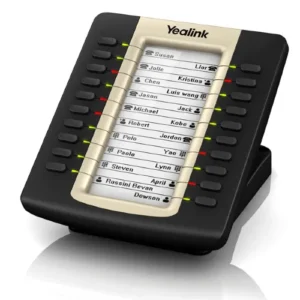
Q: Does the T43U support Yealink expansion modules for additional line keys? Yes. The T43U is compatible with Yealink’s EXP43 expansion module — adding 27 additional programmable line keys per module, with support for up to three expansion modules providing up to 81 additional keys for reception, operator, and high-key-count professional applications.
Q: What is the T43U’s local call log capacity? The T43U stores up to 300 call log entries across missed, received, and dialed call histories — significantly more than entry-level models, reflecting the higher daily call volume typical of mid-range professional users.
Q: Is the T43U compatible with Yealink’s YDMP device management platform? Yes. The T43U is fully supported by Yealink’s Device Management Platform (YDMP) for centralized fleet monitoring, remote firmware management, configuration deployment, and device diagnostics across the entire T43U deployment from a single administrative console.
The Investment That Pays for Itself in the First Week
Every professional hour spent managing a phone that isn’t quite right for the job is an hour where the tool creates friction instead of enabling flow. For the manager toggling between lines on a single-account phone. For the executive assistant who can’t monitor the executive’s line on a BLF key. For the sales professional whose wireless headset isn’t compatible with the phone’s single USB port that’s already occupied by the Wi-Fi dongle. These are not theoretical inefficiencies — they are the daily reality of under-specified professional telephony.
The Yealink SIP-T43U resolves every one of these friction points in a single device:
- ✅ Three SIP accounts for complete multi-line professional identity management
- ✅ Twelve programmable BLF line keys for total team visibility and one-touch call control
- ✅ Dual USB ports for simultaneous wireless headset and Wi-Fi operation without compromise
- ✅ Gigabit Ethernet passthrough for zero network bottleneck at the desktop
- ✅ Opus codec for superior voice quality on real-world network conditions
- ✅ PoE power for clean, single-cable installation and centralized power management
- ✅ Paper-free labeling for zero-friction key assignment management at scale
- ✅ Zero-touch auto-provisioning for IT-efficient fleet deployment and management
Certified. Trusted. Yealink.
The Yealink SIP-T43U carries the full weight of Yealink’s position as the world’s largest SIP phone manufacturer — the manufacturing standards, component quality, software platform maturity, and global support infrastructure that have established Yealink as the specified brand of choice in enterprise communications deployments across 140 countries and over 100 million deployed endpoints:
- 🏆 CE, FCC, IC Certified
- 🌿 RoHS Compliant
- 🔐 SRTP / TLS / HTTPS Security Architecture
- ⚡ IEEE 802.3af PoE Compliant
- 🌐 Gigabit IEEE 802.3ab Ethernet
- ☁️ Yealink RPS Zero-Touch Provisioning Supported
- 📋 Broad SIP Platform Certified Compatible
- 🎵 Opus Codec Supported


Reviews
There are no reviews yet.