

1 to 2 UTP Coupler Module, RJ45 Splitter
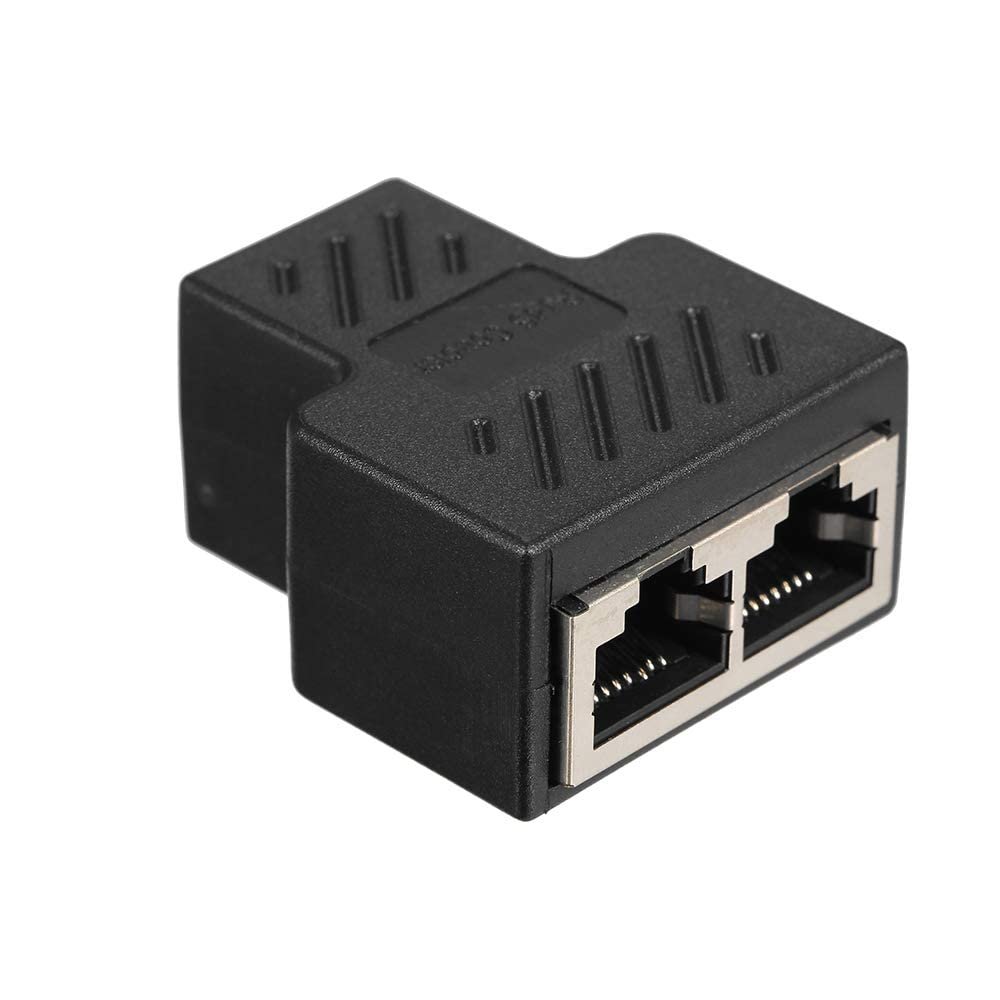
Running a second network cable across a room or through a wall isn’t always practical, and that’s exactly the gap the 1 to 2 UTP Coupler Module fills. This small RJ45 splitter takes a single Ethernet outlet and turns it into two separate sockets, so a connection can reach either side of a desk, wall, or room without a fresh cable drop. It works with Cat5, Cat5e, and Cat6 cabling, and its gold-plated 8P8C contacts keep the signal stable across the split connection. There’s one detail every buyer should understand before purchasing: the two ports cannot be used at the same time. Only one side connects to the network at once, which makes this coupler better described as a convenient alternating connection point than a true splitter that shares bandwidth between two active devices. It suits situations like switching a printer or desktop between two nearby spots, or reaching an awkwardly placed outlet, but a proper network switch is still the right tool whenever simultaneous connections matter. The coupler’s compact ABS casing and shielded internal wiring keep it tidy behind furniture or inside a cable management panel, and it needs no drivers or setup, just a straight plug-in installation.
Key Features
- 1-to-2 RJ45 port expansion, turning a single Ethernet outlet into two usable sockets
- Compatible with Cat5, Cat5e, and Cat6 Ethernet cabling
- Gold-plated 8P8C contacts for stable signal transmission
- Shielded internal wiring to reduce electromagnetic interference
- Plug-and-play design with no drivers or configuration required
Technical Specifications
| Specification | Detail |
|---|---|
| Product Type | RJ45 Coupler/Splitter Module |
| Ports | 1 input to 2 output (RJ45 female sockets) |
| Cable Compatibility | Cat5, Cat5e, Cat6 |
| Simultaneous Use | Not supported — only one port active at a time |
| Contacts | 8P8C, gold-plated |
| Housing Material | ABS plastic |
| Shielding | Internal shielded wiring against EMI/RFI |
| Installation | Plug-and-play, no configuration required |
| Typical Use Case | Extending or relocating a single Ethernet connection point |
Best Suited For
- Home users needing a second access point for the same network drop without new cabling
- Offices relocating a device between two nearby positions, such as a printer that moves between desks
- Budget-conscious setups where alternating access is acceptable and simultaneous use isn’t required
Reviews
There are no reviews yet.