
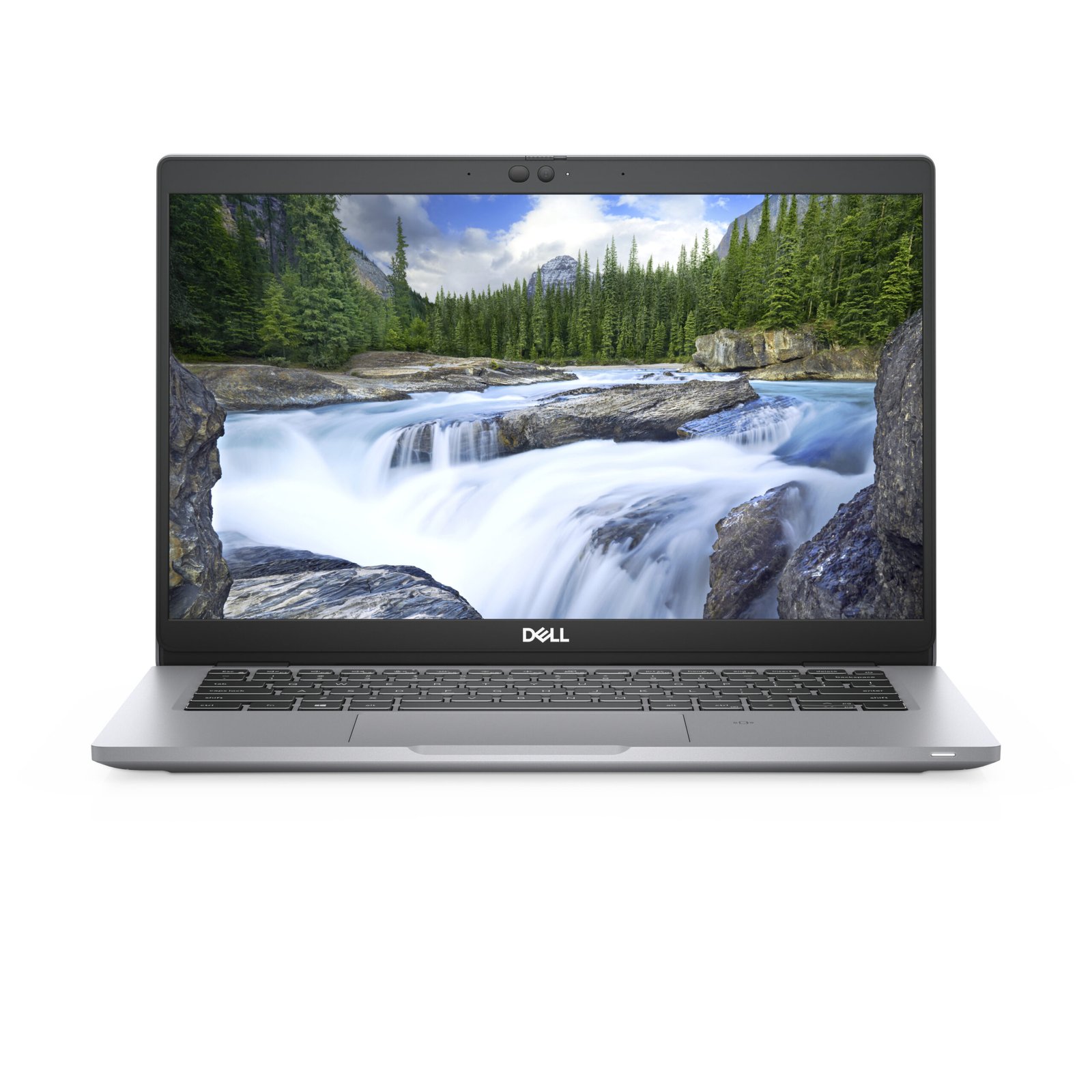
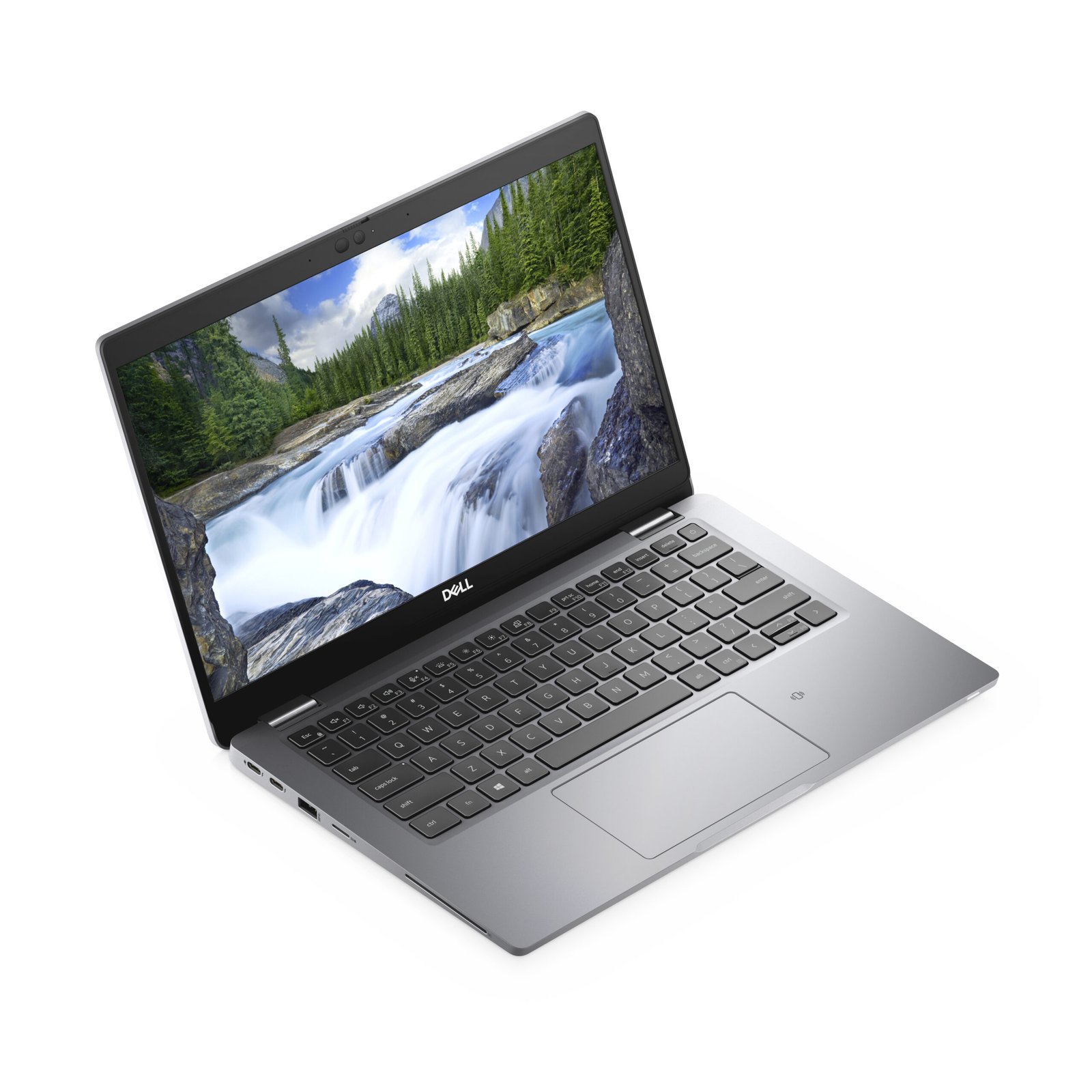
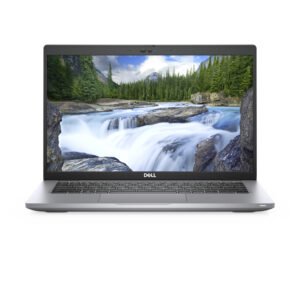
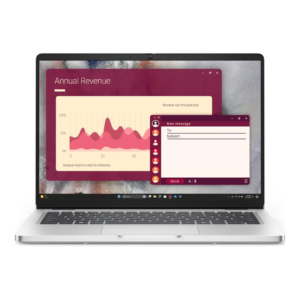
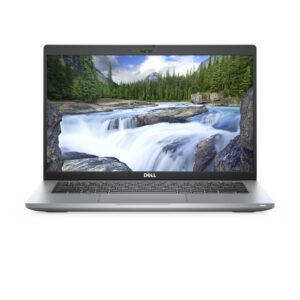
Dell Latitude 5320 — High-Capacity 13-Inch Enterprise Laptop for Power-Intensive Mobile Workflows
The Dell Latitude 5320 delivers an uncommon combination in the 13-inch laptop category: a maximum-capacity 32GB RAM configuration paired with an Intel Core i7 processor in a sub-1.4kg chassis. Where most compact business laptops trade processing headroom for portability, this Latitude 5320 configuration resists that compromise. The result is a device that travels like an ultraportable but performs closer to a desk-bound workstation for memory-intensive professional tasks.
A 13-Inch Form Factor Without Specification Compromises
Most 13-inch business laptops are configured for light-to-moderate workloads — a trade-off accepted in exchange for reduced weight and improved battery life. The Latitude 5320 in this specification challenges that convention. At 32GB DDR4, this configuration sits at the platform memory ceiling for the Latitude 5320. Furthermore, the Intel Core i7 processor adds multi-threaded compute capacity that extends the device’s usefulness well beyond standard document and communication workflows.
This positioning matters for professionals who have historically carried a compact laptop for travel and relied on a desktop or docking station for heavier work. The Latitude 5320 in this configuration reduces that dependency. Consequently, it functions as a credible single-device solution across both mobile and desk environments.
Processing Under Load
The Intel Core i7 processor at the centre of the Latitude 5320 supports up to four cores and eight logical threads via Hyper-Threading. Under sustained multi-threaded workloads — compilation tasks, local model execution, virtualised environments, or parallel data processing — the Core i7 maintains clock speeds more consistently than Core i5 counterparts at equivalent thermal budgets.
Intel Iris Xe Graphics, integrated into the processor, handles display rendering, media acceleration, and lightweight visual compute tasks without a discrete GPU. Additionally, Intel vPro support on select configurations enables hardware-assisted remote management, allowing IT administrators to perform out-of-band diagnostics and patch deployment without requiring physical device access.
Memory as the Defining Specification
32GB of DDR4 RAM is the single most differentiating specification in this Latitude 5320 configuration. In practical terms, this capacity changes what the device can sustain concurrently:
- Multiple virtual machines running simultaneously without memory contention
- Large in-memory datasets processed locally in Python, R, or Excel without paging to disk
- Browser environments with 30–50 active tabs alongside resident productivity and communication applications
- Containerised development environments with parallel service instances
For professionals whose workflows have historically required a more powerful machine, the 32GB ceiling on the Latitude 5320 platform represents a meaningful threshold. It is worth noting that 32GB is not merely a headroom buffer on this device — it is the maximum the platform supports, and this configuration fully utilises that ceiling.
Storage
The Latitude 5320 in this configuration includes a 512GB hard disk drive. For a device positioned around high memory and processing capacity, the HDD is the specification most likely to create a bottleneck in practice. Application launch times, boot sequences, and large file operations will be slower than on SSD-equipped alternatives.
Accordingly, this configuration suits workflows where processing and memory capacity are the primary constraints — such as in-memory data analysis, virtual machine management, or software development with local toolchains — rather than workloads dependent on fast sequential disk access. Users with mixed requirements should evaluate SSD upgrade availability at the point of procurement.
Display and Portability
The 13.3-inch Full HD (1920 × 1080) display is the aspect of the Latitude 5320 most directly responsible for its portability. At approximately 1.37kg, the device is lighter than the majority of 14-inch and 15-inch business laptops, including many that carry lower specifications. The anti-glare panel performs adequately in varied lighting environments, and optional touch configurations support stylus and finger input for annotation or touch-optimised application use.
The compact display is a deliberate trade-off in this configuration. Users who require extensive screen real estate for their primary workstation will find Thunderbolt 4 connectivity enables single-cable docking to large external displays, effectively separating the travel use case from the desk use case without requiring a separate device.
Connectivity Supporting a Single-Device Strategy
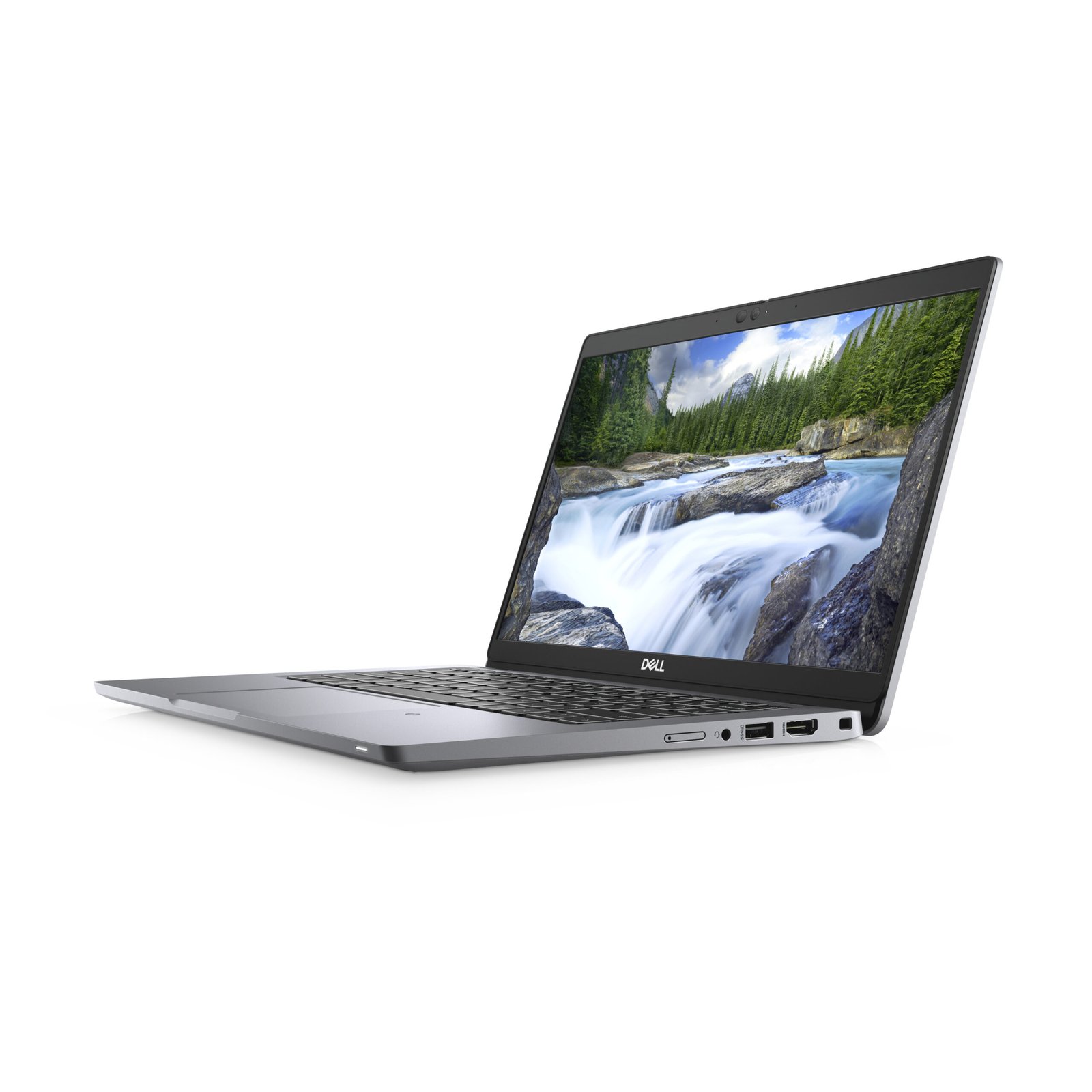
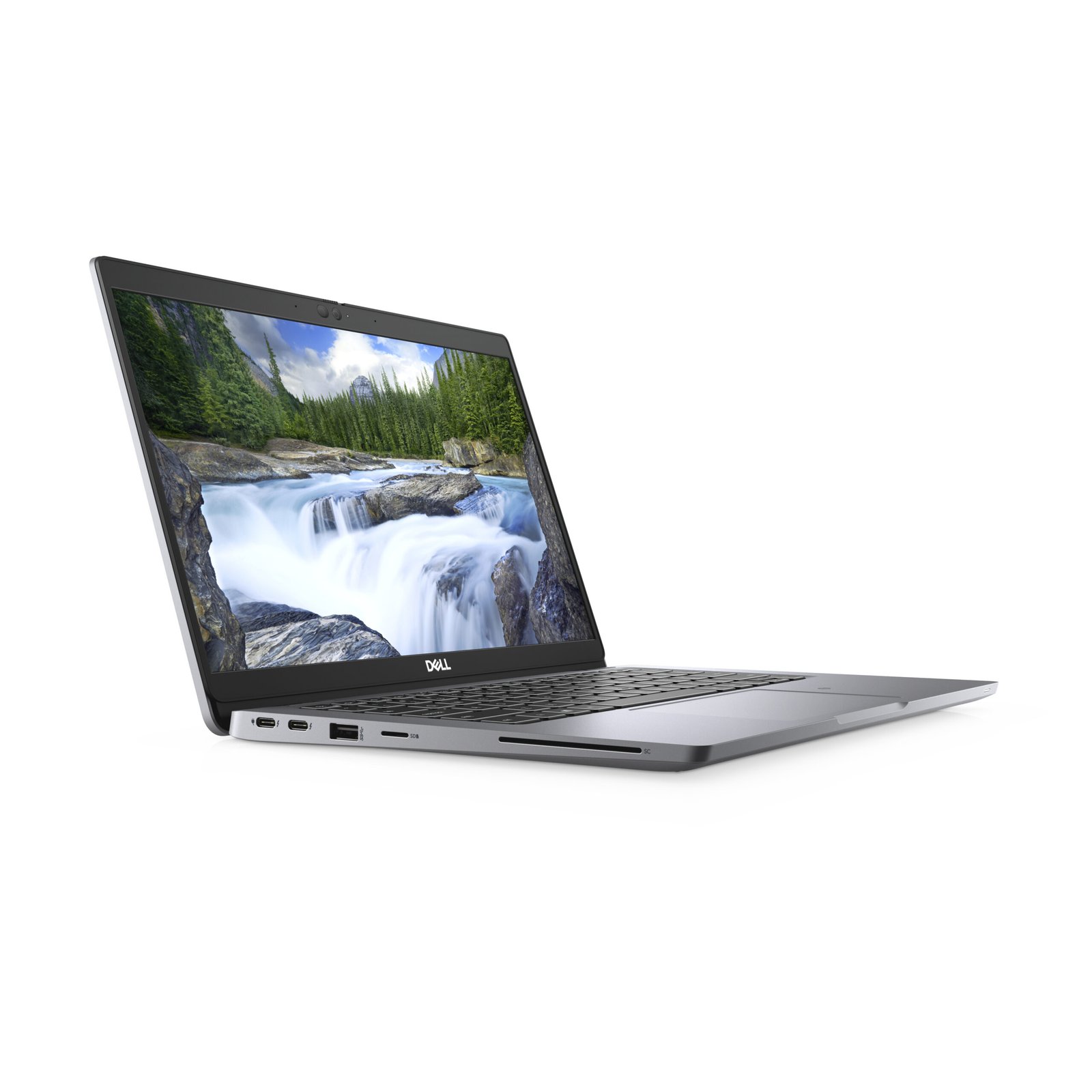
The Latitude 5320’s port selection reinforces its role as a device that adapts between mobile and desk environments:
- Thunderbolt 4 / USB-C — enables single-cable connection to docks with power delivery, dual 4K display output, and high-speed peripheral access
- USB-A (3.2 Gen 1) — maintains compatibility with legacy peripherals and storage devices
- HDMI 2.0 — supports direct display connection without a dock in meeting rooms and client environments
- SD card reader — supports media import in field or creative contexts
- 3.5mm audio combo jack — connects headsets for communication
- Optional Smart Card reader and NFC — supports identity and access management in regulated environments
Wi-Fi 6 (802.11ax) and Bluetooth 5.1 provide wireless connectivity. Optional WWAN (4G LTE) extends the single-device utility further by removing dependence on venue or client Wi-Fi during travel.
Security Architecture
The Latitude 5320 maintains Dell’s enterprise security stack regardless of hardware configuration tier:
- TPM 2.0 — hardware-encrypted key storage for full-disk encryption and secure boot
- IR camera with Windows Hello — facial recognition login eliminating password entry friction
- Optional fingerprint reader — biometric authentication as an alternative or complement to facial recognition
- Dell SafeBIOS — continuous firmware integrity monitoring with tamper detection
- Dell SafeScreen (optional) — integrated privacy filter reducing side-angle visibility in transit and public environments
- Kensington lock slot — physical restraint for shared desk and open-plan deployments
For organisations deploying the Latitude 5320 to senior staff or roles with access to sensitive data, this security stack addresses both physical and firmware-level threat vectors without requiring additional hardware overlays.
Battery and Charging
The 54Wh battery (optional 63Wh) delivers approximately 10–13 hours of estimated mixed-use runtime. For a device running a Core i7 at maximum memory configuration, this represents efficient power management from the 11th Generation Intel Core platform. ExpressCharge technology recovers approximately 80% of battery capacity within one hour, supporting all-day use with a single mid-day charge opportunity.
USB-C charging compatibility allows the Latitude 5320 to be powered from compatible docks, universal chargers, and portable power banks that support USB Power Delivery, reducing the number of proprietary chargers required during travel.
Ideal Users
The Dell Latitude 5320 at this specification is most relevant for professionals whose work is compute and memory-intensive but who cannot or prefer not to carry a larger device:
- Travelling software engineers and DevOps professionals — Local containerised development environments, multiple simultaneous SSH sessions, and IDE operation with background build processes all benefit directly from 32GB RAM and Core i7 multi-threading. The Thunderbolt 4 port supports full docking station integration at a home base or primary desk, making the Latitude 5320 viable as the sole machine.
- Quantitative analysts and data scientists in financial services — In-memory processing of moderately sized datasets in Python or R avoids the latency of disk-based overflow. The Core i7 sustains computation during iterative model runs. Regulatory security requirements are met by TPM 2.0, SafeBIOS, and optional smart card authentication.
- Senior consultants and management advisors — Client-facing work demands a portable, professional-looking device; internal analytical work demands processing and memory headroom. The Latitude 5320 addresses both in a single device. Optional LTE and long battery life remove infrastructure dependencies during client site visits.
- IT architects and pre-sales engineers — Running local virtualised environments to demonstrate or test configurations requires memory above what standard business laptops provide. At 32GB, the Latitude 5320 supports multi-VM environments that would otherwise require a workstation-class device.
- Executives with technical responsibilities — CTO, VP Engineering, and similar roles often combine strategic communication work with hands-on technical review. The compact form factor suits board and client meetings while the Core i7 and 32GB configuration supports the technical workloads these roles involve outside of meeting contexts.
Technical Specifications
Processor
| Attribute | Detail |
|---|---|
| Processor Family | Intel Core i7, 11th Generation |
| Cores / Threads | Up to 4 cores / 8 threads |
| Graphics | Intel Iris Xe Integrated Graphics |
| vPro Support | Available on select configurations |
Memory
| Attribute | Detail |
|---|---|
| Installed RAM | 32GB |
| Memory Type | DDR4 |
| Maximum Supported RAM | 32GB (platform maximum for Latitude 5320) |
Storage
| Attribute | Detail |
|---|---|
| Storage Capacity | 512GB |
| Storage Type | HDD |
| Form Factor | 2.5-inch SATA |
Display
| Attribute | Detail |
|---|---|
| Screen Size | 13.3 inches |
| Resolution | 1920 × 1080 (Full HD) |
| Aspect Ratio | 16:9 |
| Touch | Optional |
| Panel Coating | Anti-glare |
Ports and Connectivity
| Attribute | Detail |
|---|---|
| USB-A | 1× USB 3.2 Gen 1 |
| USB-C / Thunderbolt | 1–2× Thunderbolt 4 / USB 4 (configuration-dependent) |
| HDMI | 1× HDMI 2.0 |
| SD Card Reader | Yes |
| Audio | 3.5mm combo jack |
| Wi-Fi | Wi-Fi 6 (802.11ax) |
| Bluetooth | 5.1 |
| WWAN | Optional 4G LTE |
Security
| Attribute | Detail |
|---|---|
| TPM | TPM 2.0 |
| IR Camera | Yes (Windows Hello facial recognition) |
| Fingerprint Reader | Optional |
| Smart Card Reader | Optional |
| NFC | Optional |
| BIOS Security | Dell SafeBIOS |
| Privacy Filter | Dell SafeScreen (optional) |
| Physical Lock | Kensington lock slot |
Power and Battery
| Attribute | Detail |
|---|---|
| Battery Capacity | 54Wh (optional 63Wh) |
| Estimated Battery Life | Up to ~10–13 hours (mixed use) |
| Fast Charging | Yes — ExpressCharge (~80% in 1 hour) |
| Charging Interface | USB-C / barrel connector |
Build and Compliance
| Attribute | Detail |
|---|---|
| Chassis Material | Magnesium alloy |
| Durability Standard | MIL-STD-810H |
| Keyboard | Backlit (optional) |
| Operating System | Windows 10 Pro / Windows 11 Pro |
| Form Factor | Clamshell laptop |
| Weight | Approximately 1.37 kg (3.02 lbs), configuration-dependent |
Reviews
There are no reviews yet.