

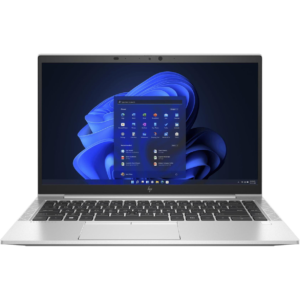
HP Chromebook 11A G8 EE — 11-Inch Touchscreen Chromebook for Education and Managed Deployments
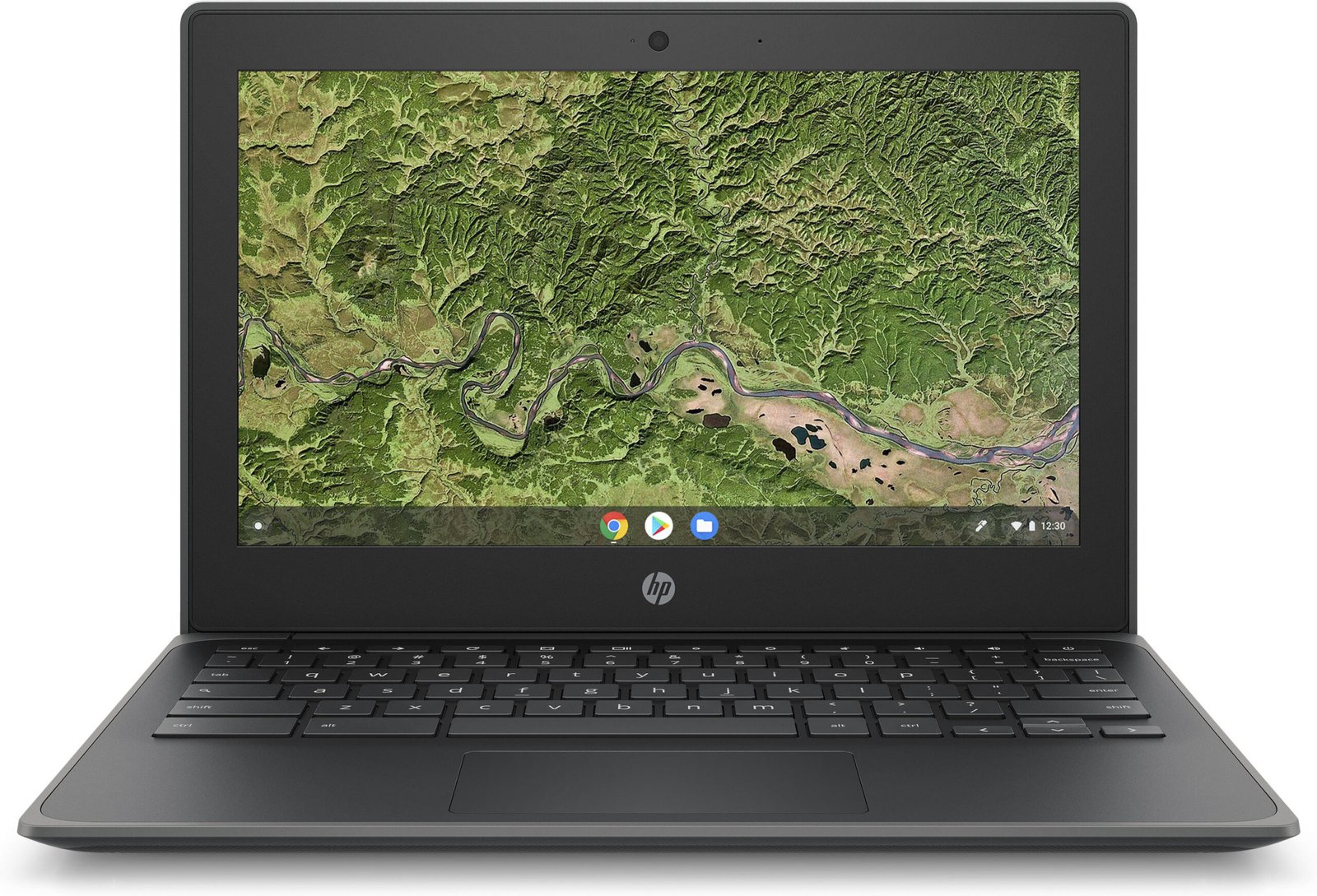
The HP Chromebook 11A G8 EE is a compact, ruggedised Chromebook built specifically for education environments and managed institutional deployments. Powered by an AMD A4 processor and running ChromeOS, the 11A G8 EE operates within a cloud-first computing model where local hardware requirements are deliberately lean. The 11-inch touchscreen, 4GB of RAM, and 32GB of local storage reflect a device architecture optimised for web-based applications, Google Workspace, and centrally managed ChromeOS environments rather than locally installed software.
The “EE” designation — Education Edition — signals specific hardware reinforcements and fleet management capabilities that distinguish the 11A G8 EE from consumer Chromebook variants.
Processor and ChromeOS Performance
The HP Chromebook 11A G8 EE is powered by an AMD A4-9120C processor, a dual-core chip from AMD’s A-Series platform designed for low-power, entry-level computing. Within the ChromeOS architecture, the A4-9120C performs its role efficiently. ChromeOS’s lightweight operating environment places significantly lower demands on local processing compared to Windows or macOS, allowing the AMD A4 to sustain smooth operation across browser sessions, Google Workspace applications, video streaming, and web-based learning platforms.
AMD Radeon R4 Graphics are integrated into the processor. Consequently, the 11A G8 EE handles standard media playback, video conferencing, and web-rendered content without frame drops under typical single-user workloads. The processor is not suited for locally compute-intensive tasks, but within ChromeOS’s intended use scope, processing headroom is rarely the constraint.
Memory
The Chromebook 11A G8 EE is equipped with 4GB of LPDDR4 RAM. Within ChromeOS, 4GB supports concurrent operation of multiple browser tabs, Google Meet or Zoom sessions, Google Docs, Sheets, and lightweight web applications simultaneously. ChromeOS’s memory management is more aggressive than Windows in reclaiming inactive tab resources, meaning 4GB operates more effectively in ChromeOS than the same capacity would in a Windows environment.
For education deployments where students access a defined set of web-based tools and learning platforms, 4GB represents a practical and cost-efficient allocation. Furthermore, ChromeOS’s architecture ensures that memory is not consumed by background system processes, antivirus software, or locally installed application overhead in the way Windows deployments are.
Storage
The 11A G8 EE includes 32GB of eMMC storage. This capacity is standard for Chromebook deployments and reflects the platform’s design intent: primary data storage resides in Google Drive or institutional cloud storage, with local storage serving as an OS host, offline cache, and temporary file buffer.
32GB accommodates ChromeOS system files, locally cached Google Drive content for offline access, downloaded media for offline use, and Android application installations where Google Play is enabled. For institutions managing student data centrally through Google Workspace for Education, the 32GB local footprint reduces data governance complexity and simplifies device reset and redeployment between users.
It is worth noting that the storage in the 11A G8 EE is eMMC rather than a traditional spinning HDD, despite the category label. eMMC delivers faster read and write access than mechanical hard disk drives, contributing to quicker boot times and application launch speeds relative to HDD-based Windows laptops at a comparable price point.
Touchscreen Display
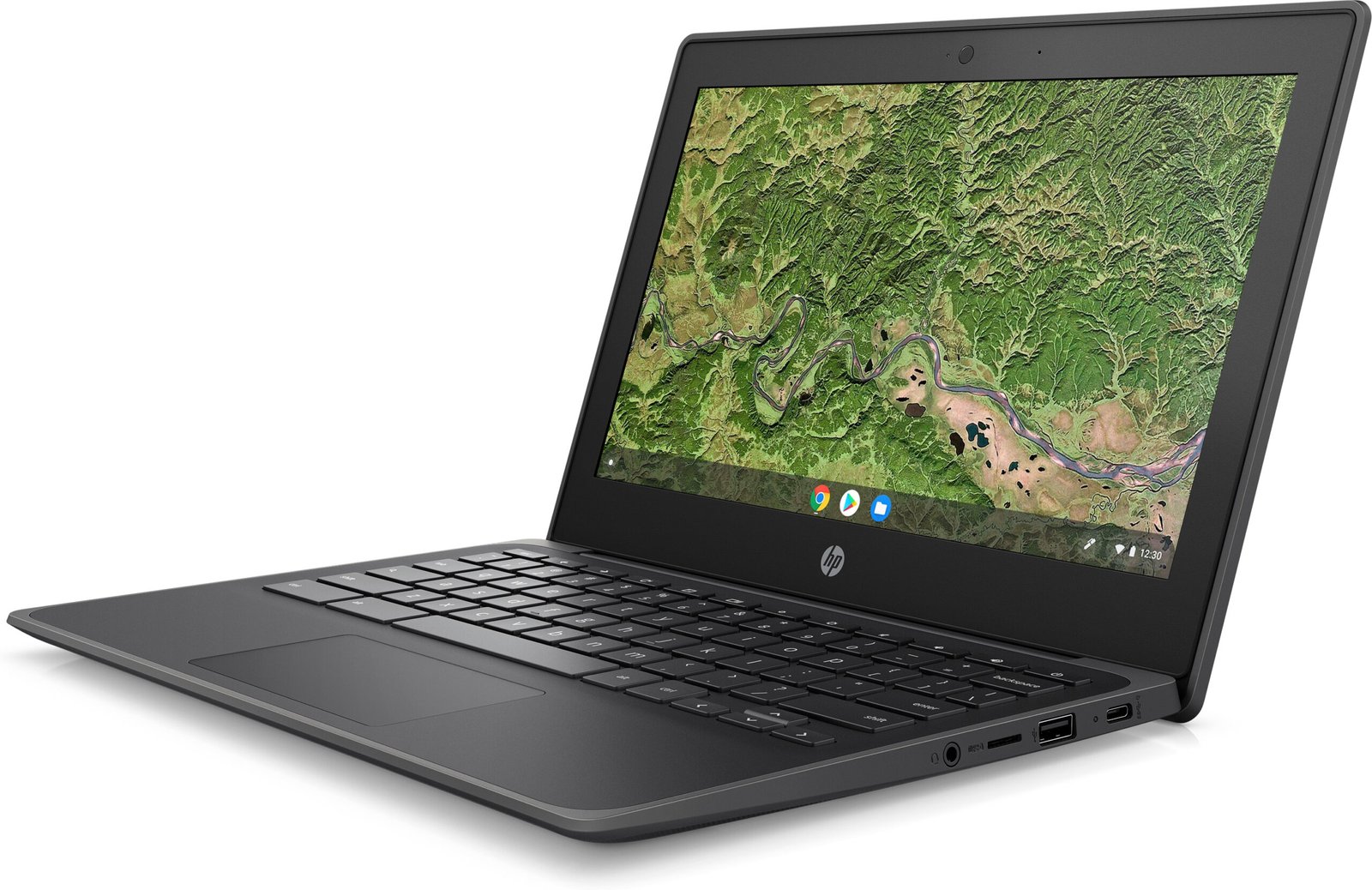
The HP Chromebook 11A G8 EE features an 11.6-inch HD (1366 × 768) touchscreen display. Touch input is a deliberate inclusion for education use, supporting stylus-style annotation, touch-based navigation in learning applications, and tablet-mode interaction when the device is used in tent or flat configurations depending on hinge design.
The display resolution at 11.6 inches is sufficient for web content, document viewing, and video playback at standard education application sizes. The anti-glare coating reduces reflections under classroom lighting conditions. Additionally, the compact display directly contributes to the device’s low weight and reduced desk footprint — both relevant in shared classroom environments where desk space is limited.
Education Edition Build and Durability
The “EE” designation introduces physical reinforcements that distinguish the 11A G8 EE from standard Chromebook configurations:
- Reinforced hinges — rated for repeated open-and-close cycles consistent with multi-user, multi-session daily use in school environments
- Spill-resistant keyboard — tolerates minor liquid exposure from drinks or incidental spills common in student environments
- Rubber bumpers and reinforced chassis edges — absorb impact from drops and knocks during transport between classrooms
- MIL-STD-810H certification — validates resistance to shock, vibration, humidity, and temperature variation
These reinforcements extend device lifespan in high-turnover, multi-user deployment contexts, directly reducing per-device replacement costs over an institutional procurement cycle.
Connectivity and Ports
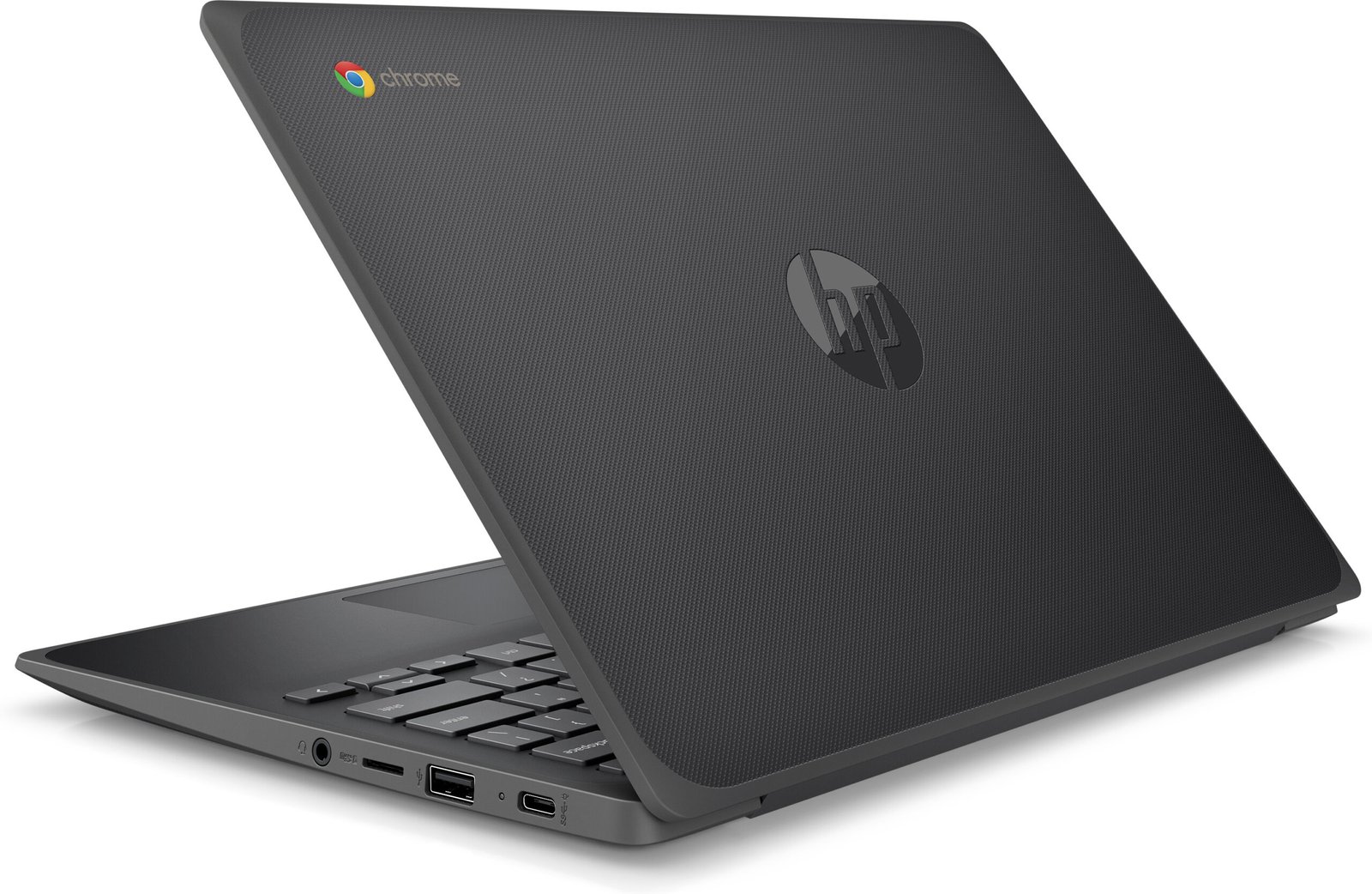
The HP Chromebook 11A G8 EE provides a port selection suited to classroom and institutional environments:
- 2× USB-C (3.1 Gen 1) — supports charging, data transfer, and display output; enables left or right-side charging for flexible classroom desk arrangements
- 2× USB-A (3.1 Gen 1) — connects USB peripherals, storage devices, and input accessories
- MicroSD card slot — expands local storage for offline content and media
- 3.5mm audio combo jack — connects headphones and headsets for individual audio during class or assessments
- Nano security lock slot — physical restraint for cart storage and shared classroom environments
Wireless connectivity includes Wi-Fi 5 (802.11ac) and Bluetooth 4.2. Wi-Fi 5 supports stable connectivity across multi-device classroom environments where access points handle simultaneous connections from 20–30 devices. Dual-band support (2.4GHz and 5GHz) allows network administrators to segment device traffic for performance optimisation.
ChromeOS and Fleet Management
ChromeOS is the defining software characteristic of the 11A G8 EE, and it shapes the device’s value proposition more directly than any individual hardware specification. Key fleet management advantages include:
- Google Admin Console — enables centralised policy enforcement, app deployment, user management, and device monitoring across all enrolled Chromebooks without per-device configuration
- Automatic updates — ChromeOS updates silently in the background without user intervention, eliminating the patch management overhead associated with Windows fleets
- Auto-enrolment — devices enrol automatically into institutional management on first boot when pre-configured, reducing IT setup time per unit
- Shared mode / Managed Guest Session — allows multiple users to share a single device with isolated sessions and no persistent local data, supporting device pooling in classroom cart deployments
- Zero-touch provisioning — supports large-scale deployment without manual IT touchpoints per device
For IT administrators managing education technology fleets, these capabilities reduce the per-device management overhead substantially compared to equivalent Windows endpoint deployments.
Battery and Charging
The HP Chromebook 11A G8 EE delivers up to approximately 10 hours of battery life under mixed-use conditions. This runtime supports a full school day of continuous use without requiring access to charging during lessons. Furthermore, the dual USB-C charging ports allow the device to be charged from either side, simplifying cable management in classroom charging carts where devices are stored in varied orientations.
The AMD A4 processor’s low thermal output contributes to sustained battery performance and keeps the device cool during extended use — relevant in shared environments where devices pass between users across multiple sessions within a single day.
Ideal Users
The HP Chromebook 11A G8 EE is well-suited for the following deployment profiles:
- K-12 student deployments (primary and secondary education) — The EE durability reinforcements address the physical handling realities of student use. The touchscreen supports stylus-based learning applications and interactive content. ChromeOS managed guest sessions allow device sharing across class groups without data persistence between sessions, supporting cart-based deployment models.
- 1:1 student device programmes — For schools issuing individual devices to students, the 11A G8 EE combines a full-day battery, Google Workspace integration, and Google Admin Console management into a low-cost per-unit package. Automatic ChromeOS updates remove the maintenance burden from school IT teams managing hundreds of devices.
- Classroom and library shared device pools — The managed guest session capability and auto-enrolment support high-turnover shared use. Each session starts clean without residual data from previous users, meeting student privacy requirements and reducing IT intervention between sessions.
- Vocational and further education institutions using Google Workspace — Institutions standardised on Google Workspace for Education benefit directly from native Workspace integration in ChromeOS. Browser-based learning platforms, assessment tools, and communication applications operate within the device’s performance envelope without requiring local application installation.
- Budget-constrained institutional IT procurement — The 11A G8 EE’s per-unit cost is among the lowest in the managed education laptop category. Combined with reduced IT management overhead from ChromeOS, the total cost of ownership over a deployment lifecycle is lower than comparable Windows endpoint deployments at similar acquisition price points.
Technical Specifications
Processor
| Attribute | Detail |
|---|---|
| Processor | AMD A4-9120C |
| Architecture | Dual-core |
| Graphics | AMD Radeon R4 Integrated Graphics |
| TDP | 6W |
Memory
| Attribute | Detail |
|---|---|
| Installed RAM | 4GB |
| Memory Type | LPDDR4 |
| Configuration | Soldered (non-upgradeable) |
Storage
| Attribute | Detail |
|---|---|
| Storage Capacity | 32GB |
| Storage Type | eMMC |
| Expandable Storage | MicroSD card slot |
Display
| Attribute | Detail |
|---|---|
| Screen Size | 11.6 inches |
| Resolution | 1366 × 768 (HD) |
| Aspect Ratio | 16:9 |
| Touch | Yes — multi-touch capacitive touchscreen |
| Panel Coating | Anti-glare |
Ports and Connectivity
| Attribute | Detail |
|---|---|
| USB-C | 2× USB-C 3.1 Gen 1 (charging + data) |
| USB-A | 2× USB-A 3.1 Gen 1 |
| MicroSD | Yes |
| Audio | 3.5mm combo jack |
| Wi-Fi | Wi-Fi 5 (802.11ac), dual-band |
| Bluetooth | 4.2 |
| Security Lock | Nano security lock slot |
Security
| Attribute | Detail |
|---|---|
| OS Security | ChromeOS Verified Boot |
| Fleet Management | Google Admin Console |
| Physical Lock | Nano security lock slot |
| Data Isolation | Managed Guest Session support |
Power and Battery
| Attribute | Detail |
|---|---|
| Estimated Battery Life | Up to ~10 hours (mixed use) |
| Charging Interface | USB-C (either port) |
Build and Compliance
| Attribute | Detail |
|---|---|
| Edition | Education Edition (EE) |
| Durability Standard | MIL-STD-810H |
| Hinge | Reinforced for multi-user daily use |
| Keyboard | Spill-resistant |
| Operating System | ChromeOS |
| Form Factor | Clamshell laptop |
| Weight | Approximately 1.22 kg (2.69 lbs) |
| Auto-Update Expiry (AUE) | Check Google AUE policy for current date |


Reviews
There are no reviews yet.